HOME | DD
 asilaydyingdl — OS X SysTray for WinXP

Published: 2009-04-30 22:14:03 +0000 UTC; Views: 18912; Favourites: 32; Downloads: 3144
Redirect to original
Description
FINAL VERSION. Black and white versions now available! See screenshot.*I am no longer supporting this project. If you are interested in continuing the project, please see my journal for my project policies!
YOU MUST HAVE WINDOWS FILE PROTECTION DISABLED TO USE THIS! SEARCH GOOGLE FOR AN APP TO SWITCH IT OFF OR FOLLOW THESE INSTRUCTONS: [link]
My other System Tray mods:
-Super Mario System Tray for Windows 7: [link]
-Relevamp System Tray for Windows 7: [link]
-Windows 7 themed hardware icon: [link]
-OS X System Tray for Windows 7: [link]
-7 System Tray for Vista: [link]
-OS X System Tray for Vista: [link]
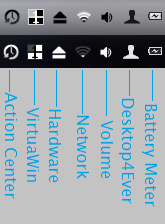
These are modified dll files that will give your windows XP system tray an OS X look and feel, like in the screenshot above. It also includes a preset version of Landvermesser's Desktop4Ever app. It is set up to use your quick launch folder as a logout/shutdown dialog, so you have an OS X-like user icon in your system tray. If it gives you a dialog that says "the current thread will exit" do not mind it. This is the first version of these dlls, so please do not expect perfection. I was trying to meet a deadline for the first release, and I set that deadline to today. Please see the read me file in the download for installation instructions.
For the OS X clock, please download Tclock and set the font to Lucida Grande size 10. [link]
You will also need to download and install Taskbar Shuffle so you can organize your icons correctly. See the read me file for more information as well. [link]
Both of these apps are very lightweight and use virtually no RAM!
OS X theme: [link]
See my complete leopard resource page for more information and help: [link]
Enjoy. See the read me file for instructions on submitting bug reports.
Credits:
Landvermesser
DopeySneezey
*Screenshot taken on Windows 7 system. Icons may vary slightly from screenshot.
Related content




Comments: 20

i cant figure out how to turn off the protection...
👍: 0 ⏩: 1

Very carefully follow the directions at the link. Print them off so you don't have to switch pages constantly. If it doesn't work, you messed something up. Try again, I've had to try three times before.
👍: 0 ⏩: 0

OMG you made an XP version too! Now I can make my XP tower also look like OSX! I LOVE YOU!!!
👍: 0 ⏩: 0


i couldn't make it work 
👍: 0 ⏩: 1
You have to turn off windows file protection. Here are the directions.
[link]
👍: 0 ⏩: 0

[link]
There you go. Sorry I didn't get back to you sooner... I completely missed this comment for some reason.
👍: 0 ⏩: 0

Amazing and ingenious!
Isn't it interesting that rather than saving up for a few week and buying an OSX, it's much more fun to spend months counterfeiting one down to the last detail on XP? LOL! (I'm just as guilty- look at all my mods.) It's kind of like spending three years tweaking your Chevy Corsica to look like a Lexus... it doesn't make a lot of sense, but it's so much fun!

👍: 0 ⏩: 1
Yeah man, it is! Your 7 System Tray that I am now using was my basis for this.... You changed all the icons that needed changed, and I changed all of those icons to something OS X in nature, haha. I made some icons from scratch. This is so much more fun, for sure.
👍: 0 ⏩: 0


Vista version now available! [link]
👍: 0 ⏩: 0
I am going to discuss that with another deviant... its a possibility in the future!
👍: 0 ⏩: 1
Well, actually, I could get the stobject and netshell dlls from my mother's vista and modify them... then I would need a tester with Vista. Want to be that tester?
👍: 0 ⏩: 0


A Vista Version is now available! Check it out! [link]
👍: 0 ⏩: 0
Hmmmm... a lucrative offer. Send me a note and we will discuss it.
👍: 0 ⏩: 0