HOME | DD
 Brawlstudios — New Koopa Bros.

Published: 2013-03-08 20:56:22 +0000 UTC; Views: 1331; Favourites: 18; Downloads: 0
Redirect to original
Description
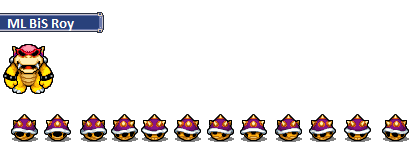
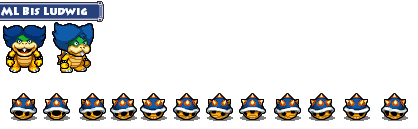
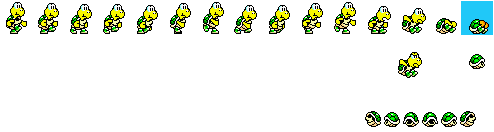
The Black and Green Ninjakoopa have got new outfitsBlack = Blue
Green = Purple
Related content









Comments: 28

They look like the teenage mutant ninja turtles.
👍: 1 ⏩: 1

I suppose tht what Nintendo had in mind when they came up with them.
👍: 1 ⏩: 0


Euh...kan je dat beter uitleggen!
👍: 0 ⏩: 1

Black is nu Blue en Green is nu Purple ze hebben andere namen maar van binnen zijn ze nog het zelfde
👍: 0 ⏩: 1
weet ik , maar het is alleen hoe je ze doorzichtig maakt ( ik bedoel de achtergrond)
👍: 0 ⏩: 1
gebruik by gimp2 de magic tool om het achterste kleur weg tehalen
👍: 0 ⏩: 1
Wat valt er te lachen ?
Ik heb alles in het nederlands op dat programma
👍: 0 ⏩: 1
Voor de tweede keer , ik heb dat programma alleen in het nederlands !
Hoe ziet het symbool eruit waar je de achtergrond doorzichtig kan maken.
👍: 0 ⏩: 1
je moet dat stokie aan kliken
👍: 0 ⏩: 1
rAAH , nu doe ik alleen de afbeelding doorzichtig ,
Hoe doe je de achtergrond
👍: 0 ⏩: 0
zeg , hoe ziet dat magic tool eruit ?
👍: 0 ⏩: 0

Lol aren't these the colors for the ninja turtles?

👍: 0 ⏩: 1

1. Why change their colors. That means they're different people.
2. Which sprites are you using?
👍: 1 ⏩: 1