HOME | DD
 Brollonks — Daves Comicbook Inking Set Version 2 2012

Published: 2013-01-11 19:59:29 +0000 UTC; Views: 99685; Favourites: 793; Downloads: 28983
Redirect to original
Description
New Brush-Sets will be available here: food-for-crows.deviantart.com/Info: (CS5 only, no previous version is supported for this set - should work with CS6)
These are the right tools for every Pencil Samurai who wants to wield the digital pen, but as every Samurai you have to practice with your "weapon" to improve. No matter how good the tool is, it is only as effective as the one who wields it!
Rules for this Brushset:
I allow everyone to use my brushes in this folder (Daves Comicbook Inking Set Version 2 2012) for commercial-projects and for personal-projects.
This TPL-file was created with Photoshop CS5 and contains my brand new inkbrushes for inking manga, or comics or to draw/paint anything else you want. Try the different inkbrushes which are creating some interesting strokes.To use this set you have to load the TPL file into your presets panel you can find in Photoshop.
If you want to share my brush-set, just link to the original source. However:
I allow everyone to upload my brush-set to share it with other artists, but you have to mention my username:
"Brollonks" or my real name "David Schmelling". And please link to my Deviantart-Account.
Please don't remove the info-file if you share this brushes with others and don't claim them as your own. Just upload my zip-file if you want to share it.
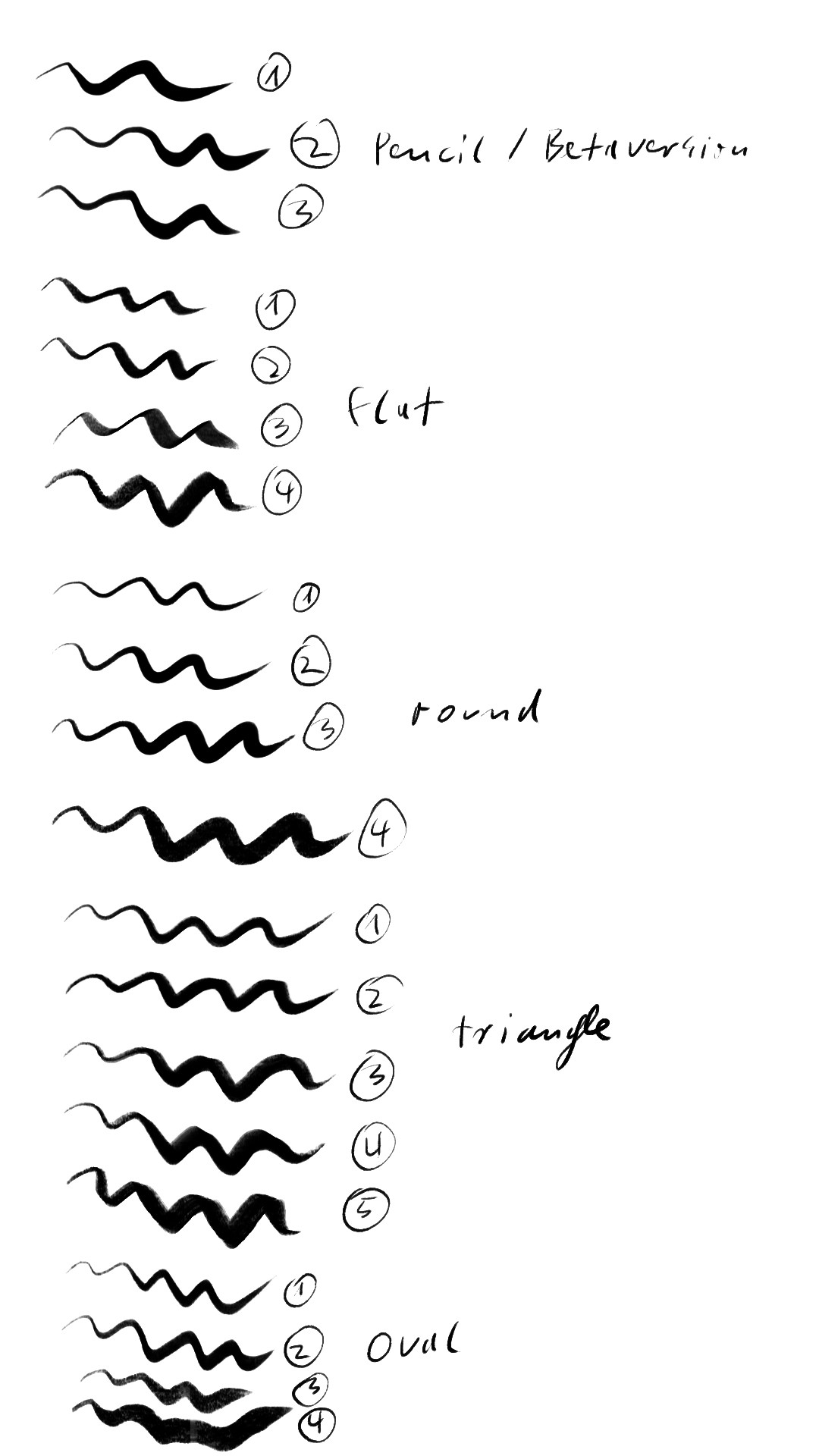
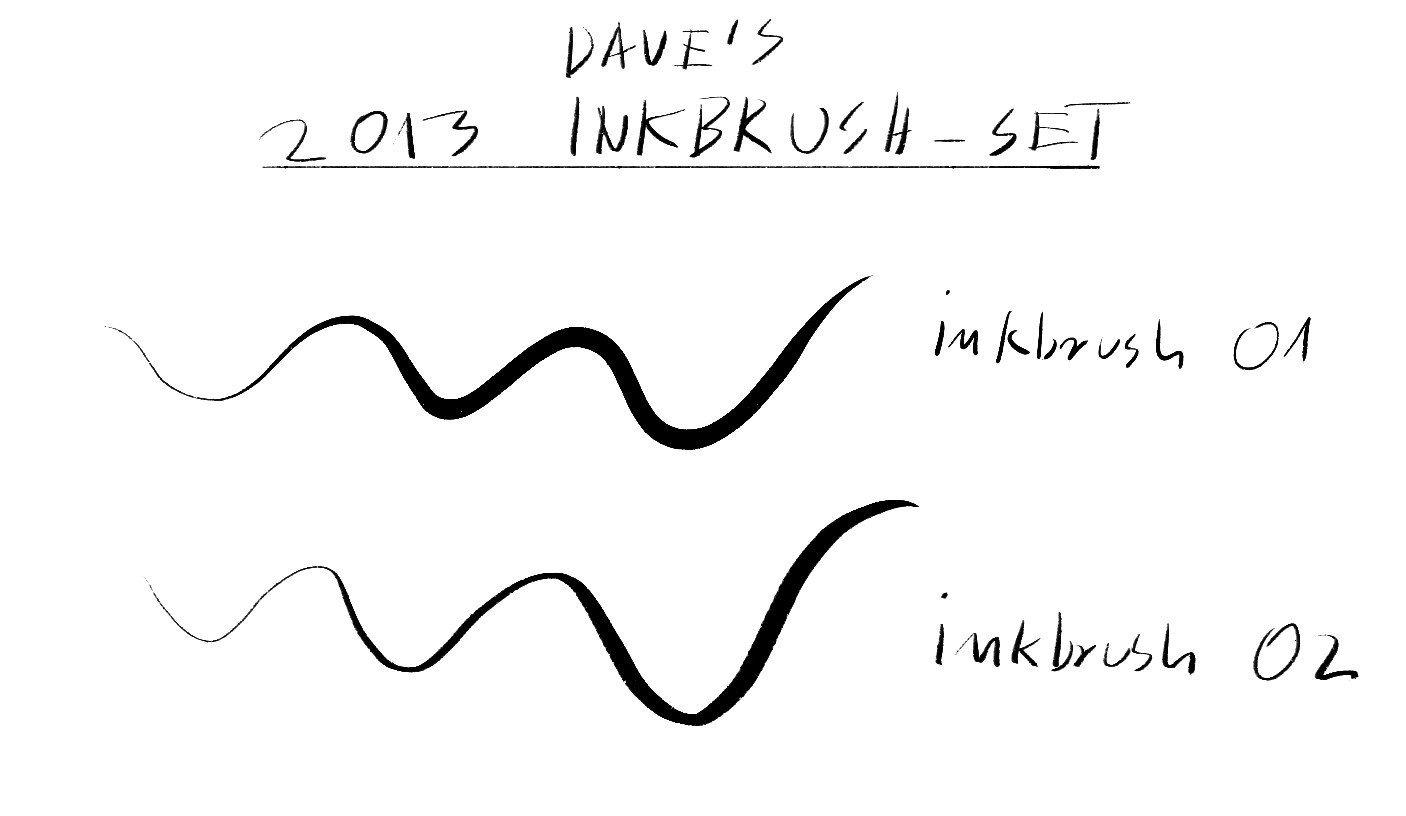
The preview-image is showing the line-quality as good as possible, you may only upload it anywere together with my brush-set! Viewing the image in full size does show you the original line quality of each brush. Each brush is not meant to be resized during work. You of course may do so, but it could cause a lower quality - the best line quality you can get is when using every brush without resizing them.
You will only see if you like the brushes, when you try them out. But whatever you do - practice a lot to improve.
YOU ARE NOT ALLOWED TO SELL MY BRUSHES OR THE IMAGE!
If you have any questions or requests (maybe I do some) visit my deviantart-profile
brollonks.deviantart.com
If you're not a Deviantart-member you can also write an E-Mail to:
d-schmelling@t-online.de
Many thanks and happy drawing!
All the best,
- Dave
Related content






Comments: 55

👍: 0 ⏩: 1

👍: 0 ⏩: 0

👍: 0 ⏩: 0

👍: 0 ⏩: 0

👍: 1 ⏩: 0

👍: 1 ⏩: 0

👍: 0 ⏩: 0
👍: 1 ⏩: 0

👍: 0 ⏩: 0


Due to it being an old set, I don't think so. In the meantime I already have new and way better updated ink brushes on my Cubebrush page which are all zip files. cubebrush.co/d-schmelling
👍: 0 ⏩: 1


Thank you so much for these! My niece is a passionate artist and would like to learn to work with Photoshop. I think these will be super useful for her.
👍: 0 ⏩: 0


Thanks! You're brushes are super awesome!
👍: 0 ⏩: 0

This brushes look really cool, but I tried to use them with Photoshop CC and nothing happens, the program simply doesnt recognize the brushes when I try to load them
👍: 0 ⏩: 1
Would you describe the steps you did in order to load them? Maybe I can help if I receive more detailed information.
👍: 0 ⏩: 1
I download the archive, put the archives inside the rar in my desktop, open a document in Phothoshop CC, select brush tool, right click and replace brushes, look for your archive and nothing appears. Just like I do with all the brushes : /
👍: 0 ⏩: 1
As written in the description: To use this set you have to load the TPL file into your presets panel you can find in Photoshop.
The brush panel only reads ABR files.
👍: 0 ⏩: 2

Damn, I feel so dumb right now, bad habit of not reading.
Thank you very much for your help!
👍: 0 ⏩: 1
All good, have fun with the brushes.

👍: 0 ⏩: 0

I downloaded these and can't open them in Photoshop CC 2014 or CS6. It seems there is no compatible file that CC or CS6 could open :/
👍: 0 ⏩: 1
Could you list the steps you did in order to load them? At what point does it fail?
👍: 0 ⏩: 1
Well, I load it and then I'm open it in winrar and there is no files that computer recognizes, so it just gives me the option to choose program which could try to open it or go search from internet some program. So there is no file I could open. I don't know what I do wrong or how I should do it.
👍: 0 ⏩: 1
So, the case is that you cannot open the RAR file with Winrar? Are you able to do a right-click on the downloaded file and to choose an option to extract the file into a folder?
👍: 0 ⏩: 1
I thinkt I would have extracted it but now I'm not sure. I have to check it on monday did I or did I not extract it.
👍: 0 ⏩: 0

First time used here...siddharth1412.deviantart.com/a… and now always use them for my line-work....Thanx alot

👍: 0 ⏩: 1
I am glad that they are helpful for you.
👍: 0 ⏩: 0


COULD YOU PLEASE PUT IT IN A .ZIP FILE?!
I'm super desperate for comicbook brushes like these-- IVE BEEN LOOKING FOREVER!!
But for whatever reason i just CANT open these RAR files
PLEASE PLEASE I BEG OF YOU :C <33
👍: 0 ⏩: 1
I've send you a note, the link expires in one day. If you want them, you should go for it now.

👍: 0 ⏩: 0


Hello, I hope they will do the job for you. Happy Drawing.
👍: 0 ⏩: 0

Hey, brother, do you have these in ABR format? I can't seem to get the TPL file to open with Photoshop. I'm using CS5.
👍: 0 ⏩: 1
Hello, how exactly did you try to load them into Photoshop?
👍: 0 ⏩: 1
I opened Photoshop and tried to load them from the brush menu, but they don't show up. The only option it gives me for loading brushes is files with ABR extension. Then I tried to do 'Open With...' Photoshop, and it tells me the version is not compatible. Finally, I changed the extension to ABR, but it tells me the same thing, that it's not compatible.
👍: 0 ⏩: 1
And there seems to be the issue. As I wrote in my describtion:
"To use this set you have to load the TPL file into your presets panel you can find in Photoshop."
So you have to open the presets panel (tool presets panel), then load the TPL file from the TPL menu (that should look quite similar to the one of the brush-panel).
If this still won't work, your Photoshop might have been installed not properly.
👍: 0 ⏩: 1
Ah, I see. They are tool presets. I thought they were brushes. That's why I couldn't find them.
Thanks, brother.
👍: 0 ⏩: 1


Awesome. Are these digital, or are they scanned in?
👍: 0 ⏩: 1
It's a line preview, so they are digital.
👍: 0 ⏩: 1
| Next =>