HOME | DD
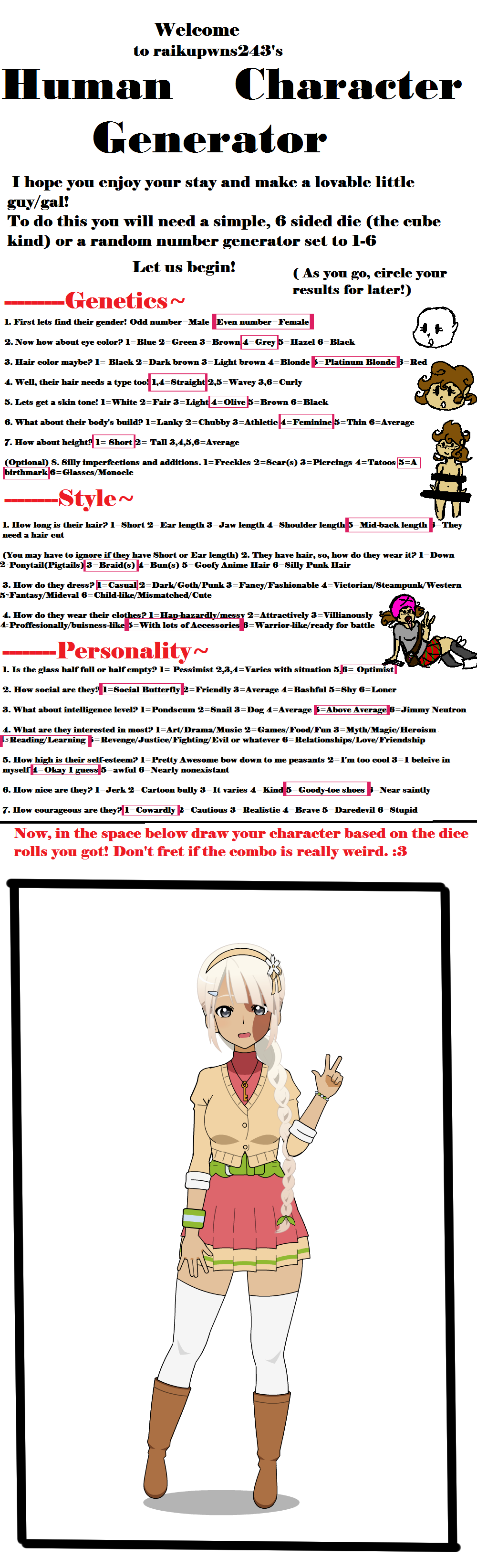
 Cheyenneskye — Character Generator Meme.
Published: 2015-09-24 05:20:26 +0000 UTC; Views: 1018; Favourites: 6; Downloads: 0
Redirect to original
Description
Soo I did this thing since I saw some other people do it. I cut off the end since it wasn't really applicable. Here's the bab that got made. I think she's hella cute.Original here:
Related content








Comments: 12


Use the zoom option under the wrench tab, the magnifying glass thing with the meter. You can get a close up of your character, adjust the screen to where they can fit.
👍: 0 ⏩: 1

I do. which helps but it only goes so far. I'm talking BIG like MrFuddyDuddy's pictures.
👍: 0 ⏩: 1
Hmmm........... Then no clue.
👍: 0 ⏩: 1
Yeah. I've played with all the settings And I just dunno.
.....wait. I might know.
👍: 0 ⏩: 1
WElp. I just did it and it looks fine. Zoom in a lot, take multiple pngs of it with every one covering a different part of the model, load it all in to photoshop, arrange it like a puzzle and -boom-
Huge picture, great quality.
👍: 0 ⏩: 1
Hm, there's that option. Or maybe he tilts the model onto their sides & then just turns right side up while editing! You could possibly zoom more by doing that!
👍: 0 ⏩: 1
This has been quite a productive conversation!
👍: 0 ⏩: 1
Indeed. I'm gonna try that next time
👍: 0 ⏩: 1