HOME | DD
 Cyklus07 — LCARS flight panel
by-nc-nd
Cyklus07 — LCARS flight panel
by-nc-nd

Published: 2010-09-01 19:26:33 +0000 UTC; Views: 18815; Favourites: 35; Downloads: 8300
Redirect to original
Description
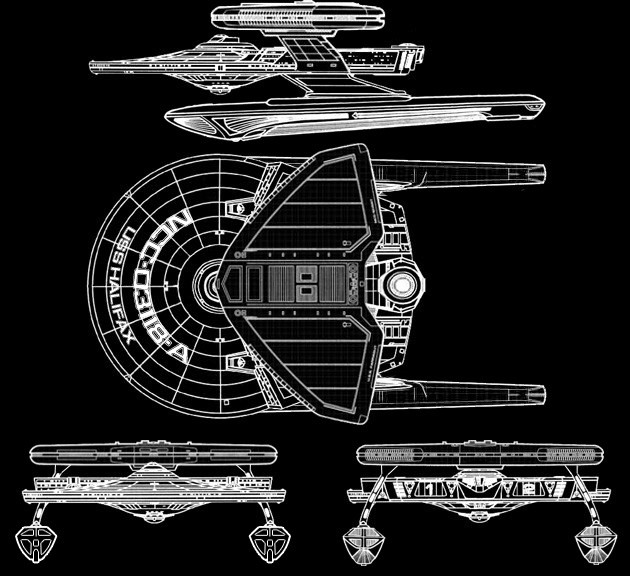
This is a 16.9x10.6 inch wallpaper of a flight control and navigation panel of the USS Halifax, Miranada type IV class. Utilizing weapon stations, communications, warp drive, impulse engines, trajectory, shields, sensors and planetary information. Also manual navigation panels that control the ships pitch, roll, yaw, drag and thrust capabilities. A skilled pilot would be right at home on this panel.Related content









Comments: 22

So does the rest of the bridge crew just sit around and watch the guy at the helm?

👍: 0 ⏩: 1

I should really explain lol when command gets passed down, the panel should have things necessary to take over command on their own panel. Recently watching the new star trek, chekov is given command of the CONN/Bridge and is also given authorization by captain pike to announce the situation to the crew. As the pilot and navigator can only do 1 job at a time i.e one plots the course where as the other pilots the ship. the Navigator is also able to over see the assessment of planets. Im guessing that someone else on the bridge has the ability to do a more indepth scan then the CONN and the info gets passed over to them who may be the chief of say science on the ship. That then gets relayed to the captain either or can be given directly to the captain via com or PADD or In-Chair Display. But the CONN has to have authorization to take over a given area in the event of the away team being needed. Basically the whole bridge is intergrated so that it if say one panel was to malfunction, theres someone capable of taking their place whilst the panel is repaired. keeping the bridge completely operational and running smoothly. Thats my take on it, I may be wrong lol.
👍: 0 ⏩: 1
I know that some panels can take over other bridge positions, it's just that panel seems a little full to me.
I'm half expecting future upgrades to that panel to include environmental controls for deck 3.
👍: 0 ⏩: 2
but if i was to upgrade the cosmetics id be looking at the enterprise E bridge panel decor. the blue sets it off well. I may do that tomorrow and change every thing blue, with a few changes. Maybe get rid of the buttons in the centre except the "entire crew, medical, away team and engineering" comm buttons (they're pretty much needed lol). but replacing them with what exactly? perhaps a sensor sheet, to detect klingon warp trails or maybe a damage control sheet. I could maybe have a docking screen or ship analysis unit thats a tactical unit to engage hostile ships. lol as you can see, theres only so much you can put on a CONN panel lol. it has to have abit of everything but as a flight panel it has to mostly have flight controls. though this is my 1st attempt, ill make a better, more sharper control panel. hopefully it'll be a much better product 
👍: 0 ⏩: 2

Your explanation sounds reasonable to me. If I were to guess, On starships at least those equipped with the "Okudagram" panels. Each of the panels for a station are configurable and can handle more than one function, i.e. a conn station can be configured to handle shields or weapons. This is useful since in battle situations some stations become disabled due to explosions on the bridge.
👍: 0 ⏩: 1
well theres going to be an update on this panel, hopefully it'll be of better quality too. But Ill be adding an extra screen and necessary buttons in accordance with the series and films.
👍: 0 ⏩: 0
Actually at this point can I make a suggestion? It'll take some more work on your part but it will be good practice as well, that being multiple versions of the panel for different situations.
Here are some possible configurations:
Normal Helm controls
Docking maneuvers
Helm controls with sensor input to follow ________ ship (I'll leave filling in the blank up to you)
Helm with some tatical controls included (kinda like the one you have now)
and so on and so forth
👍: 0 ⏩: 1
well this one isnt good quality I feel. I want it to be sharp and clear, as if you were actually on the ship behind the panel itself. I also want it to be close to accurate as I possibly can, so Ill do it again and perhaps ditch a few cosmetics for something else that functions. Id have a go at animation but Im not so good at that lol. Ive just had a thought, how about a multi-function screen, say your in a battle and the tactical panels been knocked out or the person stationed there is part of the away team and has been called away from it. You could press a tactical button which brings up a small tactical screen. Or the same has had happend to the COMMs panel you can flick to COMM screen and take over the role instead of having multiple screens. also your trajectory screen could also be docking observation screen.
Flight screen> trajectory heading, docking procedure, foreign ship analysis
Ship analysis screen> shields, hull integrity, damage report
Multi-function screen> weapons, sensors, communications, interstellar map
Flight controls
I could reduce all that then to this:
say a red alert situation> weapon screen on, foreign ship analysis screen on, shields screen on.
a green alert situation and coming in for docking> docking procedure screen on, hull integrity screen on, sensors on.
a situation coming across an anomaly> weapons on (to fire a probe and possibly intercept a threat at the same time) sensors on, shields on
a critical situation where the ship has been hit> weapons on, hull integrity on, trajectory screen on.
coming out of the situation and basic repairs have been made> communications on, damage report on, trajectory heading on
a peacekeeping mission> interstellar map on, shields on, trajectory heading on
I may also use the ship blueprints to get a better picture of how its being controlled.
I think Ive used each screen at least once in each given situation. But Ill start with a normal helm first then with your consultation we'll step it up abit and add some scenarios to the panel. In terms of RPGing this panel, I started my star fleet career here lol Chief CONN officer Ltnt Fletcher

👍: 0 ⏩: 1
oh my days, I was close to finishing it last night and photoshop decided that it would close itself unexpectedly lol. not impressed. Then again I werent sure about the 2nd screen i did lol
👍: 0 ⏩: 1
finished 
👍: 0 ⏩: 1
Save early and save often

👍: 0 ⏩: 1
lol well this is probably the better layout then that last one and the one i lost lol
👍: 0 ⏩: 1
just tested it out as a desktop background and its alot sharper and clearer.
👍: 0 ⏩: 1
well if i think of anything ill upgrade it
👍: 0 ⏩: 0


*inserts 8-track* *Living in the Plastic Age playing* That's better, gotta have my music.
👍: 0 ⏩: 1