HOME | DD
 danieliop — Corner Ribbons for Rainmeter
Published: 2011-03-09 23:53:52 +0000 UTC; Views: 62944; Favourites: 236; Downloads: 8968
Redirect to original
Description
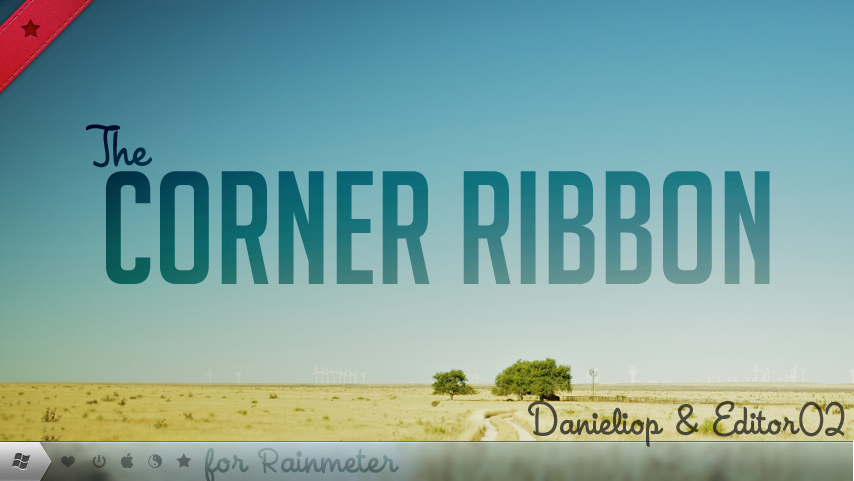
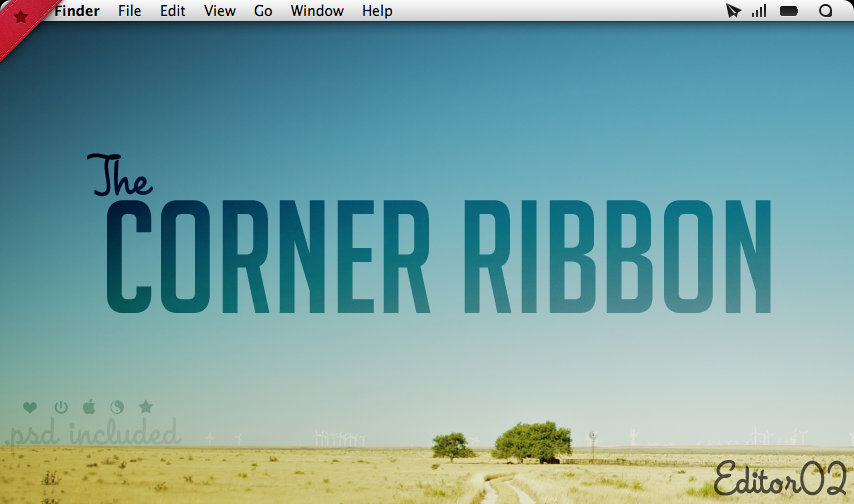
Various ribbons to put more style on your desktop!There are 6 ribbons styles, and options for all corners.
Also, thanks for ~Editor02 for giving me this idea and ribbons.
Yes, this skin is a result for a collab we done for... this skin

~Editor02 Corner ribbons: [link]
EDIT: New preview image, thanks Editor02 again
Also, keep hloding on your chairs, cos V2 might be coming!
Related content








Comments: 93


This may sound stupid but how do i get that taskbar?
👍: 0 ⏩: 0

Do you have an idea how to make it turn off the computer when pressed? I like it and I want it to use it as a shut down button.
👍: 0 ⏩: 1

Use this:
LeftMouseDownAction=!Execute [%windir%\System32\shutdown.exe -s -t 00]
👍: 0 ⏩: 1

Yeah, but you can easily edit the .ini file and add an option to launch some program. If you need help just ask!
👍: 0 ⏩: 2

do you mind providing instructions on how to make it open a program or folder?
👍: 0 ⏩: 1
Read the previous comments.
I think we have discussed about it some time ago.
👍: 0 ⏩: 0


I was waiting a long time for using this excellent work in windows! Thanks thousand time!!!!!!! 
👍: 0 ⏩: 2

Thanks mate! You sound like you really like it!
👍: 0 ⏩: 1
This is only a simbol you can drop on your desktop corners for fashion-uses. I was going to finish it, adding something like menus or options, but as soon I had the great idea it vanished. Also, I'm constantly having 2~5 school tasks per week, including researches, exercises, tests and these odd stuff. But I've thrown a little sketch I would turn into a RM skin, and I think I'm going to update C.R. to the next level. Just check my gallery in the "Rainmeter" folder.
👍: 0 ⏩: 1
if the ideas vanished like that, u should have a note by your side, so that you can write them on paper. Remember that the brain isn't good place to keep all the things inside. You still need to use the brain and memory to carry tons of things like school on ( as you said). Wish you good healthy and getting success in life. Thanks for sharing, mate
👍: 0 ⏩: 1
The problem is that I had the idea at a Monday morning, I guess in somewhat 7:45~7:55 AM. In every monday I have classroom all day long, from 7:15 Am to 6:35 AM (30 minutes for lunch, and 10 at pauses). After I got it, I had to copy 2 entire sheets in my paper of biology stuff.
But now my phone is working perfectly (after a firmware replace), and I take notes on it everytime. But, thanks for liking it.
Stay tunes for the new V.II ! =]
👍: 0 ⏩: 1
My pleasure mate
btw which phone do u have?
👍: 0 ⏩: 1
Currently my bad-ass Nokia 5130. It had problems with software because of a storm (it was charging then). I got it to work at dead usb mode with Phoenix, and then updated it to 7.97 with [link] (a custom firmware, very cool). Hard work, but it's working now =]
👍: 0 ⏩: 0

Awesome.
On another note: What windows skin do you use?
👍: 0 ⏩: 1
Thanks.
Like I said on the description, Editor02 provided me the screenshot. Try asking him.
👍: 0 ⏩: 0

www.dafont.com/bignoodle-titling.font?text=Corner+Ribbon Big Noodle Titling

👍: 0 ⏩: 0


How do I use this with rainmeter? I know, i know its a really noob question but hey there are always first timers right?
👍: 0 ⏩: 1
Well, you just need to download and double click the .rmskin file (the auto-instalator for my skin).
A message should appear, you need to click install. Rainmeter will close for a while, and then reappear. Right click on any Rainmeter skin and then go to: Rainmeter > Configs > Corner Ribbons. Then click on the desired position and style.
👍: 0 ⏩: 1
Thanks for replying man, I hardly get any 
👍: 0 ⏩: 1
Oh, I guess youre opening it with Winrar. The file you downloaded IS the .rmskin file.
👍: 0 ⏩: 1
Yesss... finally did it! Thanks alot and keep up the great work. One more thing, where can i find the start orb in ur screenshot?
👍: 0 ⏩: 1
Ask to ~Editor02, he have done the screenshot.
👍: 0 ⏩: 0

What's the font at bottom right corner ? and a nice minimal theme!
👍: 0 ⏩: 2
I don't know, try asking Editor02, he's the creator of the preview.
👍: 0 ⏩: 0


another reason why i love rainmeter
👍: 0 ⏩: 1

| Next =>