HOME | DD
 Deamond-89 — Clip Studio: Lace Brush Tutorial

#brush #clip #loop #paint #pro #ribbon #studio #tip #tutorial
Published: 2016-09-03 11:33:43 +0000 UTC; Views: 53506; Favourites: 883; Downloads: 452
Redirect to original
Description
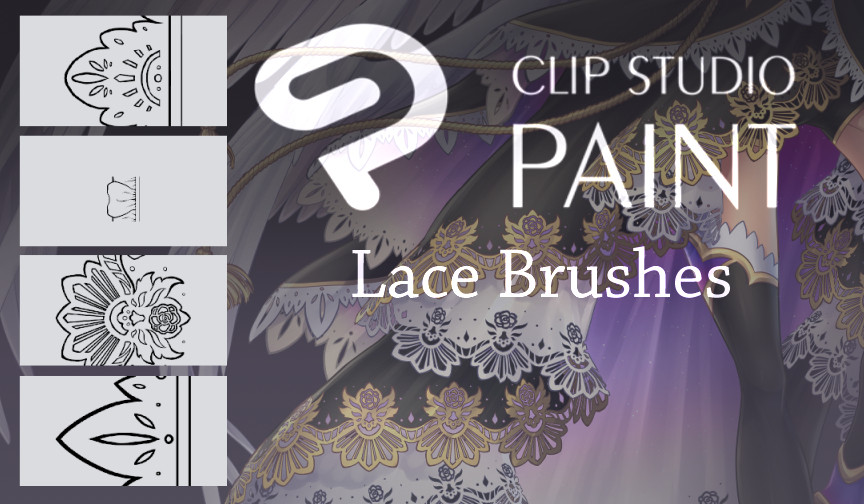
A small tutorial on how to make lace- or rather ribbon brushes. These sort of brushes loop, so they are perfect for ornaments and small details such as patterns etc...You can download the 4 brushes I made here:
My Basic Clip Brushes:
Enjoy~
Related content






Comments: 29

👍: 0 ⏩: 0

👍: 0 ⏩: 1

Thank you for sharing this tutorial, it's very helpful. I'm still very new to this software and this will help me a lot in my future projects.

👍: 0 ⏩: 0


Could you possibly share what size/resolution you would use to make a lace? I've been trying a bunch of ways, but they always come out super thin and pixelated :/
👍: 0 ⏩: 1

Well, I would recommend using a high resolution but then making thick lines -> When its scaled down it won't turn into single pixels while, when scaled up, it won't begin to blurr or look pixelated. I usually draw my brushes at about 2000x2000 and zoom out to see the whole canvas while drawing them.
👍: 0 ⏩: 1
Thank you so much for the reply and advice!
👍: 0 ⏩: 0


Ooooh! I'll have to take try this now, thanks for the tutorial!
👍: 0 ⏩: 0


I'm still a beginner with Clip Studio. The tutorial was very easy in directions and I hope I can make some of my own brushes sooner or later. I love your art. ^w^
👍: 0 ⏩: 1
Thank you ^^ Once you get the hang on it its pretty easy~ Good luck!!
👍: 0 ⏩: 1
Thank you and I'll continue to do my best to continue to improve my skills
👍: 0 ⏩: 0

It's a good tutoriel.....BUT I DON'T ARRIVE TO MAKE THAT ! ! ! !
I'm french too, it's probably for that !
So, it's very sympatic to give tutoriels !

👍: 0 ⏩: 0

This is wonderful! I'm certainly gonna try this later.
Its only a shame there's no way to get those tricky folded corners without hand drawing.
👍: 0 ⏩: 1
Hehe, well it would be a bit TOO easy then~ xD
👍: 0 ⏩: 1

Nice tip I am still bouncing between Adobe and Clip Art.
👍: 0 ⏩: 0

Is there a way to make the brushes more like the other ribbons where it doesn't react to pen pressure?
👍: 0 ⏩: 1
You simply have to change the pen pressure in your brush settings. Making it so it doesn't react to pen pressure.
👍: 0 ⏩: 0


Thank you so much for sharing !
I don't use clip studio paint but still I can find a way to do it with another software. Your tutorial is well explained and great ! ^v^
👍: 0 ⏩: 1

As far as I know, right now, Cli is the only application with a ribbon brush option >3<;; But I could be wrong.
👍: 0 ⏩: 1
Well, you're right I think, but maybe there could be other way to get the same result, although it will be harder. ^^
👍: 0 ⏩: 0


Schade das soetwas nicht bei PS oder Sai gibt
Aber gutes Tutorail

👍: 0 ⏩: 1
Ja, ist einer der Hauptgründe warum ich dann auch wirklich langfristig bei Clip geblieben bin obwohl ich Photoshop habe. Danke!
👍: 0 ⏩: 1
Kann ich verstehen. Ist auch wirklich so was parktischtisces ^^
👍: 0 ⏩: 0