HOME | DD
 DopeySneezy — Windows 7 Classic for XP

Published: 2009-04-11 01:23:37 +0000 UTC; Views: 43664; Favourites: 44; Downloads: 8713
Redirect to original
Description
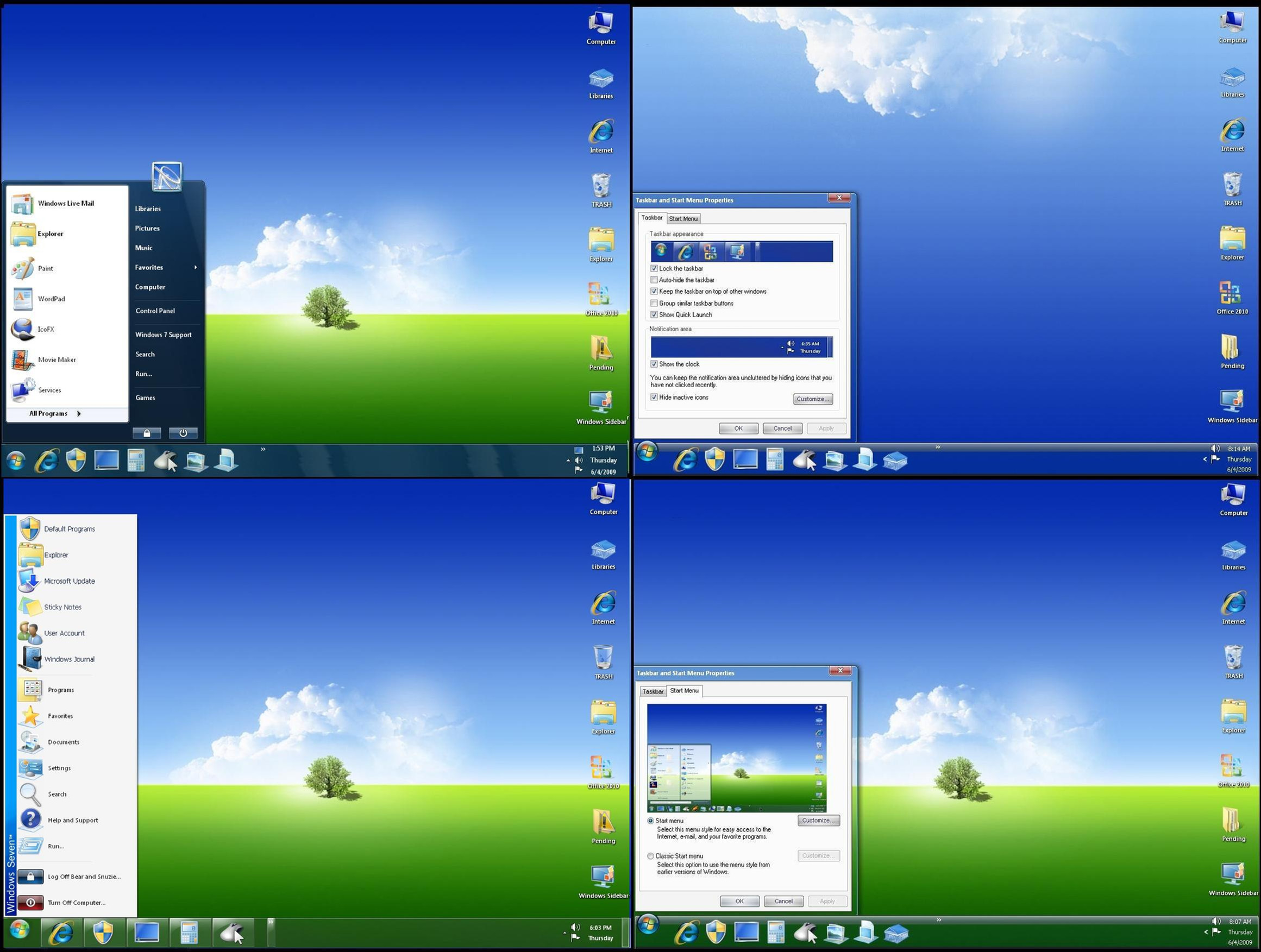
Windows 7 Classic Edition for XP SP3Standard Windows 7 RC1 Light Blue Theme.
UPDATED System Files! (If you have downloaded and installed my previous versions of Shell.dll and Sysdm.cpl, this pack will replace them.) If you haven't, these files will replace your existing ones.
Download contains:
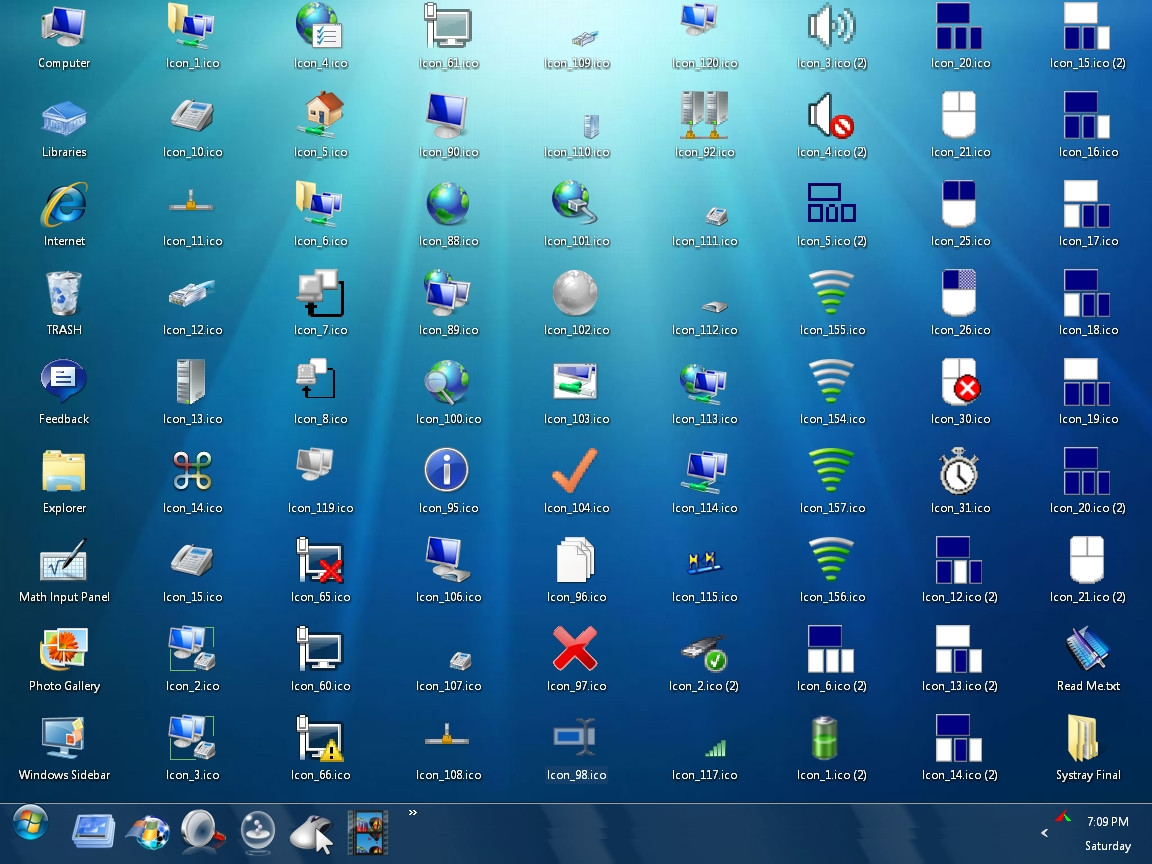
Explorer.exe (an all new Windows Explorer with 7 style bitmaps and icons)
MyDocs.dll
Shell32.dll
Msgina.dll
Mmsys.cpl
Themeui.dll
Sysdm.cpl
Xpsp1res.dll
Logonui.exe
An optional Recycle Bin entry (just click and follow directions.)
Replacer Utility
Refresh utility.
Directions: Use the enclosed Replacer utility to put Logonui.exe, MyDocs.dll, Shell32.dll, Themeui.dll, Msgina.dll, Xpsp1res.dll, Sysdm.cpl and Mmsys.cpl into your Windows/System32 directory.
IMPORTANT! Place Explorer.exe in the WINDOWS main directory.
Restart Windows.
Click on (emptyrecyclebin.reg) if you want to add that to your context menu.
Note: It's always a good idea to back up system files you're replacing. If you don't notice a change in system icons after restarting Windows, use the enclosed refresh utility.
Special thanks to:
CoLnE (~alkhan) [link] for his Windows 7 Base Icons
Peter Rollar [link] for his Log On template
Desktop Squared at [link] for bitmaps and advice.
Microsoft and Google Image Search for the sidepanel bitmaps
Desktop wallpaper "Heaven For Everyone" by Alda Silva available here: [link]
Quite a few people have requested this particular Trans-Pack in emails and dA notes. I hope it's of some use.
Related content








Comments: 68

only that the taskbar is from vista but its better 
👍: 0 ⏩: 1

I'll be revamping this old deviation in January, and that's one of the improvements I plan to make (win 7 taskbar with centralized start button.
👍: 0 ⏩: 1


I want the words for the start menu, so how do you get it back??
👍: 0 ⏩: 1
If you followed the installation instructions included with your download, Brandon, it should be quite easy.
1. Go to your C:\Windows directory and find the file called explorer.backup.
2.Copy the file explorer.backup to your desktop.
3. Change the name of the file 'explorer.backup' to explorer.exe.
4. Using the Replacer utility that comes with this pack, copy the new explorer.exe to your C:\WINDOWS directory, and restart your machine.
5. This will get your PC back to the XP look, which is presumably what you want.
Hope that helps.
👍: 0 ⏩: 1
Thank You... It really helped!
👍: 0 ⏩: 0
How did you know my name is Brandon??
👍: 0 ⏩: 1
It's on your 
👍: 0 ⏩: 1
hAHA.. Why did I not think of that.....
👍: 0 ⏩: 0


hey....what wb theme r u using for the start menu?
👍: 0 ⏩: 1
XP Vistaillusion 3 by Vistamen available here: [link]
👍: 0 ⏩: 1

hey thanx i used it. works completely fine.. ONLY BUG IZ DAT WHEN I masimized the page it goes dark for like 2 secz and den works completely fine thanx for providing it
👍: 0 ⏩: 1
Yeah, I get that bug once in awhile too. I guess the only perfect Windows 7 pack is, well...Windows 7. But it's not out on the market yet. Just Betas and RCs.
👍: 0 ⏩: 1

Gokhan! Damnit! LOL!
Don't feel bad. I've been called DP, Depuey, Dorpy and Dolby.

👍: 0 ⏩: 1

Nice work man, I'm giving my dad's XP an "update" with the dlls from this pack right now.
👍: 0 ⏩: 0
Hey, nice work! The bitmaps are much improved over your previous versions. Check out my PDA desktop [link] Let me know what you think.
👍: 0 ⏩: 1
I wonder if you mean that the bitmaps are more to your liking, Dustin, since they ape the windows 7 beta ones more closely? I find them generic and boring. If we upgrade the PCs on our household LAN from Vista to Windows 7 it will be because of winmain technology, new features and improved functionality, not because of the pastel quasi-XP GUI.
👍: 0 ⏩: 1
No, seriously, the quality of the images is better... poor quality makes them look generic, at least in my mind. Nice work.
👍: 0 ⏩: 0

it is very cool but I prefer the onyx edition (black is my favorite color)
👍: 0 ⏩: 1

👍: 0 ⏩: 0

Thank you, Amirsyahrani!
👍: 0 ⏩: 0

Thank you Gamer. 
👍: 0 ⏩: 0

How can I have all these wallpapers of window 7 classic edition, onyx edition & collector's edition ??? please.............
👍: 0 ⏩: 1
I get almost all of my wallpapers here, Sumon: [link] .
There's a dA link to the umbrella one in the Artists Comments.
👍: 0 ⏩: 0

OK. This is for AJ-XDX.
The things you mentioned, like the start menu though you see them in my screenshots, are not in the download pack, because they belong to what are known as 'Msstyles" or "shell styles". DeviantART has a whole section devoted exclusively to them right here: [link] and they are free.
For large icons in your taskbar, download read and apply the VERY SIMPLE 4 steps right here:
[link]
For Windows Transparencies, go here and carefully read the artist's comments, then download the freeware apps: [link]
If you wonder why I don't include these small freeware apps in my downloads, it's because they are not properly my programs. All I can do is post links to them.
Hope this helps.
👍: 0 ⏩: 1

Thanks a lot, Dopey!!!
I was a bit mistaken about the pack i was downloading.
Anyways great work & I will be grateful to you for your kind help.

👍: 0 ⏩: 1
| Next =>