HOME | DD
 DopeySneezy — Windows 7 Complete

Published: 2009-01-15 01:51:07 +0000 UTC; Views: 700201; Favourites: 167; Downloads: 361256
Redirect to original
Description
WINDOWS 7 COMPLETE FOR XP SP3 SUPERPACKBlue Sky Edition
 A TRUE FULL-SIZED SCREENSHOT CAN BE FOUND HERE! [link]
  ALWAYS BACK UP SYSTEM FILES BEFORE ATTEMPTING ANY TRANSFORMATION PACK!
This Transformation pack contains a total of 82 system files you can use to transform your Windows®XP into Windows®7. But don't let that scare you! You can get by on as few as 3 files for a very minimal transformation.(explorer.exe, shell32.dll and themeui.dll) But if you want to amaze everyone, including Bill Gates, go for the FULL installation.
EASY, EASY INSTRUCTIONS
If you want the basic Transformation Pack (the one that will fool most people) then install the files from the folder "Windows 7 for XP" using the enclosed Replacer Utility. Instructions for using the utility are included in this pack. Instructions for doing everything are included in the pack in plain, simple English.
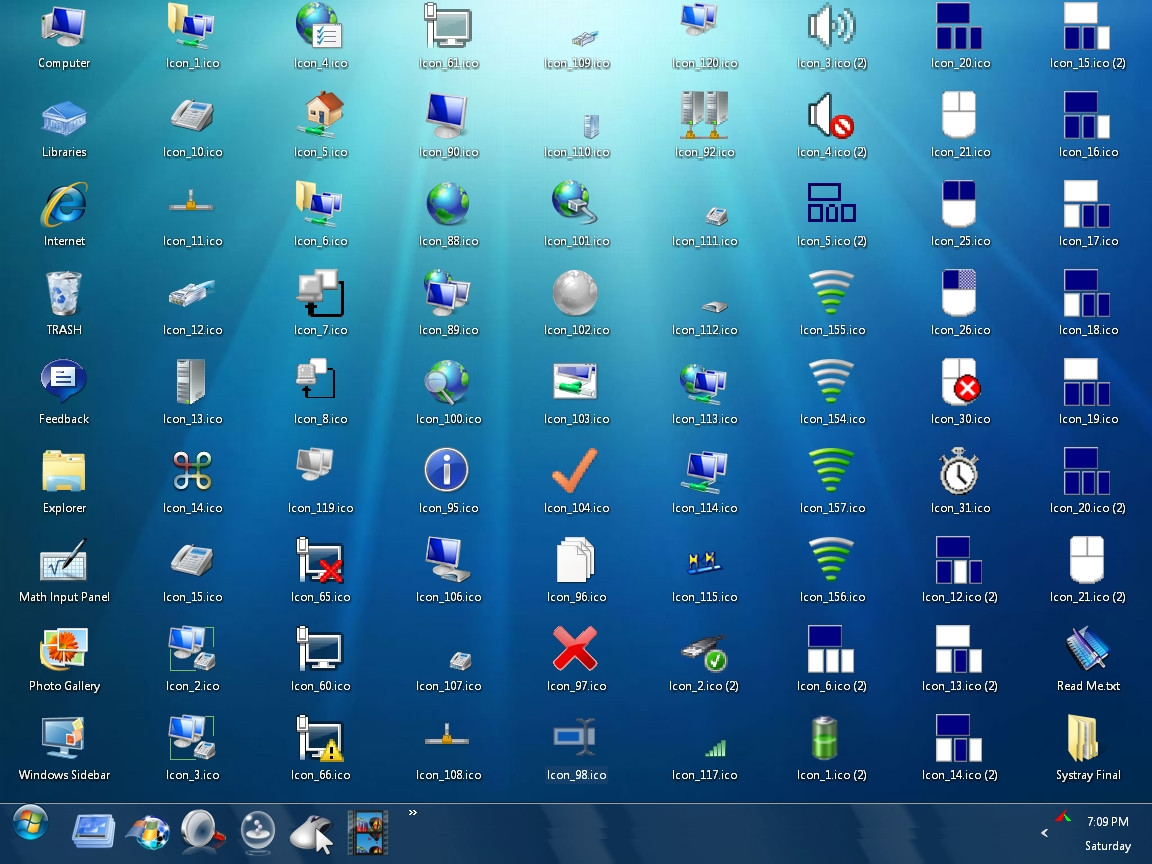
If you want a total transformation, including Control Panel Applets and Installation Wizards (the pictures you see on the bottom half of the screenshot), restart your PC and then install the additional files from the folder called "Service Pack".
An Icon Refresh utility is included in the pack, in case you don't see a change in your icons (which can sometimes happen).
THANK YOU TO:
~RUDY-XP: The genius behind the Context Menu icons. [link]
The Original Windows 7 Context Menu deviation by ~Rudy-XP can be found here: [link]
dA Best Buddy = Peter Rollar: For help with bitmaps, icons and for the huge amount of work involved in translating this pack for German users. [link]
Fellow skinner =Sagorborpird for Windows Update® and Action Center® templates. [link]
Windowblind® used in the screenshot is Arero-Xtreme 7 for Windows XP© from my good friend Ian at *InTime69 [link] including "Show Desktop©" by ~Cellular [link]
Don't have Windowblinds? Why not try this visual style? SevenVG RTM by Vishal Gupta [link] Installs in a snap!
Fast Explorer® Copyright © 2004-2007 Alex Yakovlev
SUPPORT: This deviation is now over two-and-a-half years old. It has been downloaded and installed over 160,000 times. ANY questions you may have are already answered in the Author's Comments. Read and follow all instructions carefully! I will no longer answer any questions or posts. PLEASE read the instructions carefully and only install this if you know what you're doing.
Related content









Comments: 421


Nice job man... really nice job... I loved it very much.
👍: 0 ⏩: 0

Hi, I've recently installed this theme for my WinXP. But I've got a problem. I can't click anything on Personalize(choosing theme). Any help?
👍: 0 ⏩: 0


Do I have to use the replacer for all of the 80+ files?
👍: 0 ⏩: 0


oopps.. uhm yeah i got the instructions already but my problem now is this software/installer of yours does not work for my laptop even thou its win xp sp3.. Waht I did was to test 1 item to be changed but it seems that everything on the folder i downloaded doesnt seem to work with my system at all.. am just gonna get myself a windows 7 pc instead.. its hard messing with the laptop.. well everyone knows that anyway.. Tnx and your work is cool but its just that it does not fit with my system at all.. XD Thumbs up guys..
👍: 0 ⏩: 0
Excuse me sir, im not really that savvy and im using my laptop... I need some clarifications with this instruction... I dont want to mess up with my system32.. XD
====================
The Replacer utility is pretty straightforward. You click on the icon inside the Replacer folder and a black command window opens.
First it instructs you to drag and drop the system file you want to replace (the file in your Windows/ System32 folder) into the black window and hit your enter key.
====================
1. Do you mean I go to my C:/Windows/System32??
2. Then I copy the loginui from my laptops system32 directory then drag it to the replacer??
.. I just need simple answer.. tnx...
👍: 0 ⏩: 0

I'm very sorry about that. I was meaning to create a comment asking where the file I drag into the replacer is. I've looked all through these files but another shell32.dll is not there and the instructions for the replacer don't help.
👍: 0 ⏩: 0


My "shimgvw.dll" replacement has failed.
I can't replace the file.
Please, help >.<
👍: 0 ⏩: 2

When we are meant to drag the file we want to replace the System 32 folder in do we drag the These go in Windows System 32 directory folder?
👍: 0 ⏩: 0

Link for the .rar download are on the right side of the screen
👍: 0 ⏩: 0

Hi... first congratulations for the great job! I am Brazilian
how to turn in Portuguese (PT-BR)
👍: 0 ⏩: 0
hi... First, congratulations for the great work! I am Brazilian
how to turn in Portuguese (PT- BR)?
👍: 0 ⏩: 0

My start menu didn't change, along with the little bar at the bottom (you know, the one that shows my open programs).
Can I get some help?
👍: 0 ⏩: 0


please help me! how can I removed it and bring back the original look of my computer? please, I really need your help!!!
👍: 0 ⏩: 0


Dopey......please!!!!.....i beg of you please make a video....u just need to record your screen with screen recorder and show how to install this AWSOME superpack. It would be good for everyone if you make a video.....there are many people who are struggling to install this think. For Once in your life please accept my request.
👍: 0 ⏩: 0


If anybody has time to explain to me what system file I need to find in System 32 to replace in the patcher I would be really thankful and How would I Un-install this ?
👍: 0 ⏩: 0

i take my previous comment back after reading almost every comment, anyways i have a bigger problem with the Windows context menu, i copied it to program files and ran the .bat file but it give me the error saying LoadLibrary("C:\Program Files\Fast Explorer\REShExt.dll") failed - The specified module could not be found. Help please?
👍: 0 ⏩: 1

Be sure to create a Folder called Fast Explorer in your C:\Program Files\ directory first. THEN, copy your Fast Explorer stuff there and activate the BAT file. In your case, Windows is just looking where you've sent it for the file, but the file isn't in the right place.

👍: 0 ⏩: 1
Thanks alot man your an awesome guy! For creating this and taking time out of your day to reply and help us!
👍: 0 ⏩: 1
hi i'm kinda a complete newbie to this but when using the replacer i keep on getting an error when dragging in the replacement folder... tho i'm not too sure it's the correct one is it the one in the same folder as the .bat file?
👍: 0 ⏩: 0


hey i want the transparency like pic #2 its soo cool but i instal the pack and dont have skin heelp pleasee !
👍: 0 ⏩: 0

will it transform for all users?
sorry for bad english
👍: 0 ⏩: 0

i dont understand it says "First it instructs you to drag and drop the system file you want to replace (the file in your Windows/ System32 folder)" ok i have like a billon files in my windows system 32 folder so how do i know witch one to pick?
👍: 0 ⏩: 1

Drag the folder itself, not what's inside
👍: 0 ⏩: 1

Any System Requirements or anytthing for this? Im considering getting it but its going on a not so high end lap top
👍: 0 ⏩: 0
| Next =>