HOME | DD
 eamon63 — GTK Leopard for Linux

Published: 2009-05-03 05:18:21 +0000 UTC; Views: 158755; Favourites: 96; Downloads: 56715
Redirect to original
Description
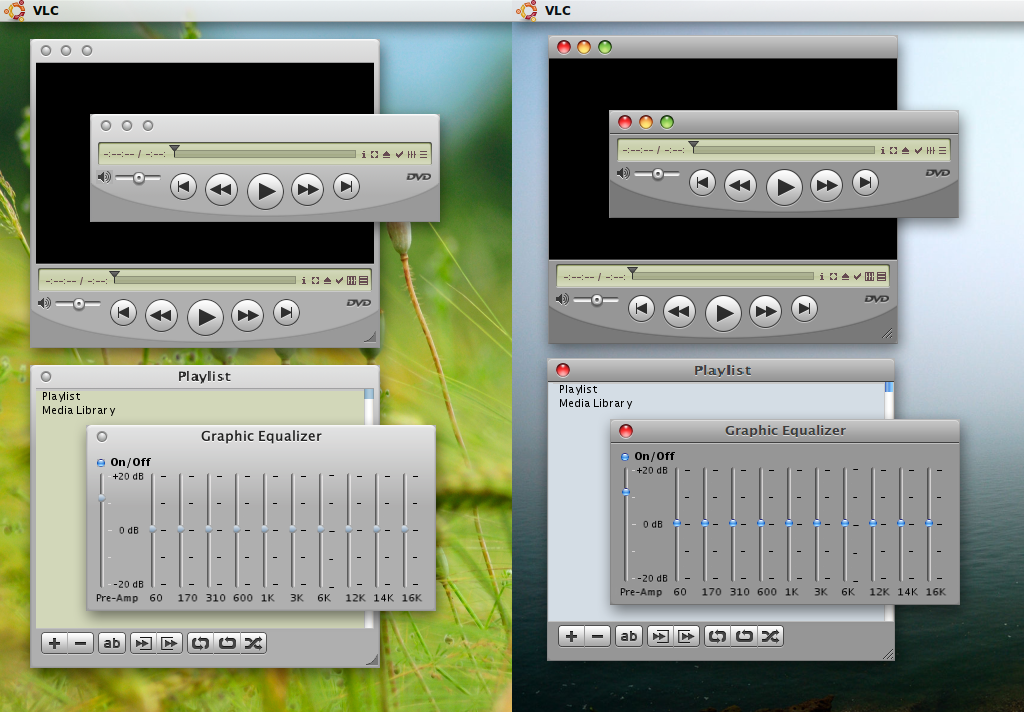
A Leopard theme for Ubuntu/Linux (READ LATEST COMMENTS BELOW!!!)tested under Ubuntu 9.04 Jaunty Jackalope
-GTK 2.x
-Metacity
-pixmap
-Emerald theme [link]
-2 SUBSTYLES, Unified caption and single caprion, metacity theme for each...
-Lucida fonts included, Install to /
* I have to make compromises on some elements ((though minor...)
* THEME CREDITS INSIDE GTKRC FILE
===============================
TO REMOVE ICONS IN BUTTONS OF GNOME 2.26+:
- Press Alt + F2
- Type- gconf-editor and hit Enter.
- Go to Desktop –> GNOME –> Interface
- Uncheck the key buttons_have_icons
===============================
PANEL AND MENU OPACITY using Compiz...
CompizConfig Settings Manager > Opacity, Brightness, Saturation (under Accessibility) > Opacity Tab > NEW button >
write/create the following items, and opacity for each, your choice:
dock
dropdownmenu
popupmenu
================================
RECOMMEND TO INSTALL Mac4Lin RC 1.0 FIRST!
-for icons, cursors, sounds wall etc etc.
RECOMMEND TO USE GLOBAL MENU, and enable Main Menu...
Fonts are Pre-set., including font sizes. You can not change it using Appearance Properties.
To retain user control of fonts, remove font references in panel.rc and gtkrc using Text Editor (just add # before each line). Type Lucida in search box..
===============================
EDIT: 5 May 2009
-adjusted button height for a more OS X look
-smoothed scrollbar flow image
EDIT: 11 May 2009
-Panel (top bar):
-set Gnome panel properties to use system theme for panel background
-added more applets to inherit theme panel background
-panel has own handle (transparent)independent of main theme vertical handles
-fixed (removed) down arrow for main menu
-Tabs:
-replaced tab image (rounded corners)
-increased padding between text and tab side borders
-removed tab overlapping (this is a compromise, still don't know how to maipulate tabs)
-Menus
-Reduced left/right padding in dropdown and popup menus
-Added Ludida Sans in pack
EDIT: 22 May 2009
changed widget images, adjusted image metrics:
EDIT: 5 June 2009
some small tweaks:
-Increased space between Panel items
-replaced the 'black' vertical handle
-fixed inactive menu button (the one at top right)
EDIT: 15 June 09
-fixed background of panel applets
-removed text highlight on mouse-over of check-boxes/radio buttons
EDIT: 12 oct 09
-changed browser side -panel selection background and list headers to gradient colors using clearlooks engine...
-changed toolbar background and control icons of standard caption sub-style to a lighter color.
EDIT: 17 oct 09
-reworked the scripts/lines
-re-adjust highlight/selection colors
-adjusted some widget metrics
-changed file browser statusbar color
-included extra files/folders as added options for file browser toolbar of 'single/standard titlebar' sub-style:
-included extra files for squared tab bottoms
EDIT: 6 nov 10
-tested under Ubuntu 10.04
-excluded gtk leopard2 (standard titlebar) from pack
-synchronized toolbar buttons/icons with standard GTK stock items: buttons for nautilus window are now "fixed", regardless of icon theme being used
-added view mode buttons
-RECOMMEND TO INSTALL NAUTILUS ELEMENTARY!
-fixed progressbar image margins
-requires Murrine engine
Related content












Comments: 98


you mean the top bar/panel? left click top left corner, then properties...
👍: 0 ⏩: 1
if you meant nautilus window statusbar, edit nautilus-tweaks-2.rc:
style "shadows2" = "default"
{
bg[NORMAL] = "#b2b2b2"
where b2b2b2 is RGB 178 178 178
👍: 0 ⏩: 1


Hi
I downloaded the gtk_leopard_for_linux, but i did not know how to install it!. My google chrome "close", "minimize" & "restore" buttons are not mac theme.
Please help.
BR
Jorge
👍: 0 ⏩: 2

That's normal for Chrome; You can't change it.
👍: 0 ⏩: 0
Done, the solution was "preference" issues.
I am very happy with this theme.
Thanks
Jorge
👍: 0 ⏩: 0
How did you installed GTK Leopard for linx? I just dowloaded... but the "X" "-" "+" button is as the past visual effect... not Mac...
joreg_@hotmail.com
Thanks
👍: 0 ⏩: 0

Amazing work on this theme! I noticed that your progressbars weren't showing up right in a couple of applications, so I went and transplanted a couple of bars from another Mac-like theme, and they appear just fine!
👍: 0 ⏩: 0

its got to be easy to change linux to mac more than windows to mac :\
👍: 0 ⏩: 1
I agree. check this out...[link]
👍: 0 ⏩: 0

for the life of me i cant get the apple logo to show on the top panel just the gnome foot shows.. Any ideas?
👍: 0 ⏩: 2
you have to modify the images in 👍: 0 ⏩: 0
distributor-logo
gnome-main-menu
start-here
main-menu
it is with the icon theme you are using mate. i modified mine (original mac4lin icons will have the foot logo...)
👍: 0 ⏩: 0

well done...
unlike mac4lin, Keep on this development
👍: 0 ⏩: 1
it gets harder mate, but i still try. don't have time these days...
👍: 0 ⏩: 0

so wait... i'm lost... how do i get the global menu?
Ubuntu 10.04 LTS
GNOME
i downloaded this here ZIP file and i installed it, and it looks just fine, but im missing the global menu. Help?
👍: 0 ⏩: 1


Hey are the [AppleLogo] File Edit View ... context menu items functional?
I've been looking for a linux project that attempts to make Linux function as closely to Mac OSX as possible. It seems like it shouldn't be hard to find if you measure how many people would like it, but then another concern is Apple and their insane love of suing people who copy their stuff.
👍: 0 ⏩: 1
AMD. they ARE functional. it is called Global Menu. for karmic: [link]
except for Open Office apps, they work on almost all common apps like Gimp, Inkscape, adobe reader etc. Doesn't work on Firefox, but if you're using CompactMenu it doesn't matter...
tg
👍: 0 ⏩: 2
It's workin' for me! I just use the menu applet.
👍: 0 ⏩: 0

Hola eamon63, quería preguntarte si tienes algo que ver con este link?
[link]
👍: 0 ⏩: 1
metal,
No. the guy is using the theme for some extra money, some new download site ... he also does that for other relatively popular themes.
No. El tipo es utilizando el tema de un poco de dinero extra, algunos sitio de descarga de nuevo ... También hace que para otros temas relativamente popular.
-tg
👍: 0 ⏩: 0
Hola amigo, me puedes ayudar y decir como lograste esto?
[link]
Ya que en mi nautilus siempre se muestra
👍: 0 ⏩: 1
metal, it depends on the icon theme you are using. I modified mac4lin icon theme, basically replacing images in /home/xxxx/.icons/Mac4Lin_Icons_v1.0/scalable/animations with blank images.
👍: 0 ⏩: 0
Se ve muy bueno, ojala pronto publiques una versión para Ubuntu 9.10, ya q trate de instalarlo en esta versión y la ventana del nautilus me sale mal:
[link]
👍: 0 ⏩: 1
metaladdict,
it should work for ubuntu 9.10, i have karmic and am using this theme...
👍: 0 ⏩: 0

Brilliant look-alike, can you post the Apple start button logo used on this and all of your screen shots. All of the others I've tried have not looked right, whereas this one is almost exact. Thanks - 


👍: 0 ⏩: 1
apple =
[link]
what other screenshots?
👍: 0 ⏩: 1
A lot of your screen shots have this apple panel logo and I just thought it looked the most like Mac OSX's.
👍: 0 ⏩: 0


how to remove black line which is located eg in music player between ur left panel and music collection ? it looks awful ;/
👍: 0 ⏩: 1
that black line is the same line for all left side panels- in browser, in save as... dialog etc. the image file is Handles/handle-vert-paned.png. you can make it transparent if you want.....
👍: 0 ⏩: 0

hi, i was wondering if theres a way to change to side bar in Nautilus. i want it to have groups and separators.
i was also wondering what font your using on your panel. mine looks alot shorter and wider.
thank you.
👍: 0 ⏩: 1
cheap, side bar in nautilus? open a browser window, then View > check Side Pane...
Panel fonts, i included Lucida Grande fonts in the pack. just extract them to .user/.fonts
👍: 0 ⏩: 0
hi, i was wondering if theres a way to change to side bar in Nautilus. i want it to have groups and separators.
i was also wondering what font your using on your panel. mine looks alot shorter and wider.
thank you.
👍: 0 ⏩: 0
hi, this is the best mac skin i ever seen.
i was wondering how you got your time to just say the day not the whole date.
👍: 0 ⏩: 1
cheap,
alt-F2m then type gconf-editor.
browse to /apps/panel/applets/clock_screenX/prefs, where X is the appropriate screen number, usually 0.
then read these:
[link]
and
[link]
my custom format is %a %I:%M %p
👍: 0 ⏩: 1

Just amazing! congrats, this's by far the best mac skin i've ever seen for gtk... and trust me, i've tryed a lot of them.
👍: 0 ⏩: 1
| Next =>