HOME | DD
 eggi36 — Windows 95 Project

Published: 2010-11-03 16:45:27 +0000 UTC; Views: 81995; Favourites: 143; Downloads: 13538
Redirect to original
Description
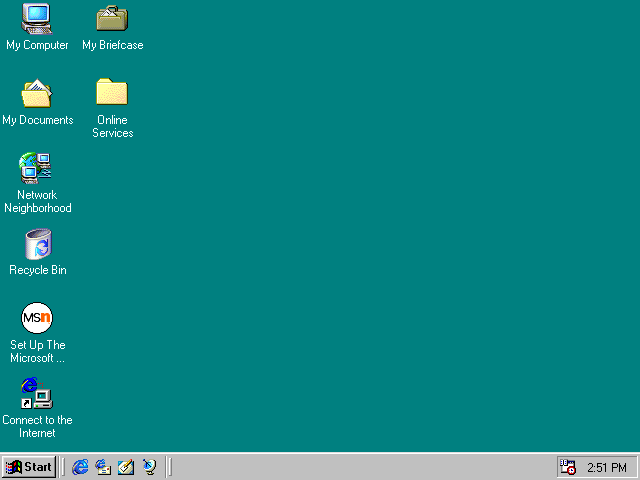
I'm prouldy presenting you my first Windows theme:"The Windows 95 Project"
It's a theme for Windows xp, that let it looks like Windows 95.
In this new release, much more icons were replaced by the 95 ones. Some were taken from the inexpierence patcher because Windows 95 hadn't icons for everything. Also the toolbar has the 95 buttons and the old Windows flag. I also include the Windows 95 sounds.
New in this release is the miniplayer-theme for windows media player 10 users.
This theme includes:
-theme file
-explorer.exe
-many files for system32
-wmploc.dll for windows media player 10 users
I know that it's not the best way to replace system files, but at this time I have no alternative. Maybe someone can give me some tips.
ONLY FOR WINDOWS XP!
At the moment I will not continue the development.
Related content






Comments: 131

It'd look more realistic if you switched ClearType off and set everything to MS Sans Serif, since, y'know, 95 never had ClearType. Still, a good effort indeed.
👍: 0 ⏩: 0


hey I did everything correct but nothing happens. what's wrong. I'm running windows xp mediacenter edition. thanks for any help.
👍: 0 ⏩: 1

do you replaced the system files?
The importanst ones are comdlg, explorer and shell32
👍: 0 ⏩: 0


Hey, do you know how to replace the system32 files? When I try, it says: "Can't copy comdlg.dll: It's being used by another program"
👍: 0 ⏩: 1
Use the program "unlocker" to rename the original file in comdlg.exe.old and then place my file in the directory. No warranty if that crashes your system.
But the only critical is normally shell32.dll, so if you don't need it don't replace it.
Good Luck ^^
👍: 0 ⏩: 0

I wish they had this for windows 7
👍: 0 ⏩: 1

Windows 7 still features a Classic Theme that resembles Windows 95 just w/ the default layout of 7
👍: 0 ⏩: 0


What is the difference between the Inexperience Patcher and this one?
👍: 0 ⏩: 1
windows 95 features lower resolutions icons than Windows 2000.
👍: 0 ⏩: 1
I know people that still work With Windows 9x... i might install XP on their machines and place this all over the place
👍: 0 ⏩: 0

how ? i tried it but is too hard. Can someone give the tutorial please !!!!!
👍: 0 ⏩: 1

Im defenitly gonna give this a try.
I always wanted something like win 98/me which works like XP.
and 95 is similair to 98, good!
👍: 0 ⏩: 0

nice idea, but there is no visual style. only theme file which has some bugs like incorrect ways to mydocs and mycomp icons. as to changing shell32.dll it is not universal way cause usually that file should be patched like Tango patcher but not replaced. by the way this file can differ depending upon Service Pack and XP edition: Pro, Home, Embedded, Legacy.
👍: 0 ⏩: 0

Ok, Now I fixed it. Had to take ownership of some folders but I got it done. Thanks for the theme. It brings me back.
👍: 0 ⏩: 0

How do you add the Shell32 file. Other than that, this theme is awesome!
👍: 0 ⏩: 1
go to "WINDOWS\SYSTEM32\" and rename the shell32 that is there to "shell32backup" or so. Then put the sehllfrom my theme in there. After a restart everything should work.
👍: 0 ⏩: 1
How did you get the retro Windows logo on the start button and how did you change the icons?
👍: 0 ⏩: 1
For thr Windows logo, replace the explorer with the one from the theme.
👍: 0 ⏩: 0

Can you make Windows 2000 theme
I would use it for sure
And this is a great theme of windows 95...looks the same
👍: 0 ⏩: 2
In the meantime, you can use the Inexperience Patcher [link]
👍: 0 ⏩: 0
I could do that, but at first I have to fix all bugs etc. in this theme.
👍: 0 ⏩: 1
I would love to see its win2000 Counterpart, the Inexperience Patcher is now a little bit too old
👍: 0 ⏩: 0

ZoNi, don't be so cruel, that's your taste 
👍: 1 ⏩: 1

👍: 0 ⏩: 0

<= Prev |