HOME | DD
 fantasy-voice — base tutorial

Published: 2011-03-22 17:35:43 +0000 UTC; Views: 12543; Favourites: 52; Downloads: 51
Redirect to original
Description
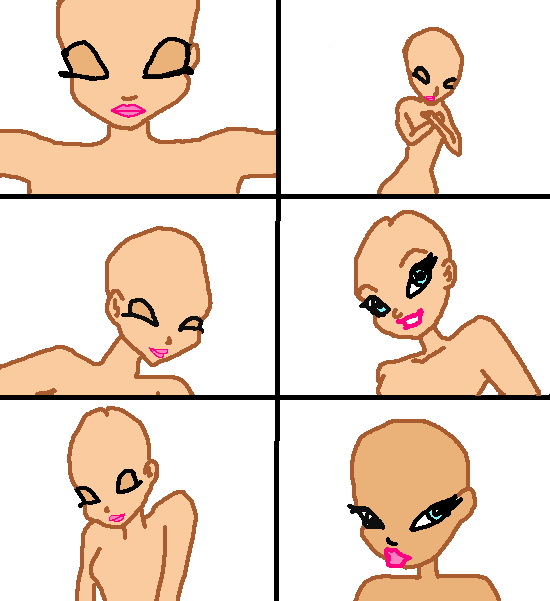
i made a video tutorial that is much better then this thing [link] it shows you 2 ways on making a base in msPaintif you have questions, you are free to ask.
the base can be found here [link]
Related content














Comments: 95

but how do you get rid of the picture and keep the lines?
👍: 0 ⏩: 1

you can read an easy way for doing that in one of the comments.
👍: 0 ⏩: 1
good, thanks. and which windows do you have? like windows 7 or 6?
👍: 0 ⏩: 1
oh, like the first one?
👍: 0 ⏩: 1
like, do you have a real old computer?
👍: 0 ⏩: 1
then paints different
👍: 0 ⏩: 0

can u make a base of winx club on earth clothes with roxy?when near or sitting on the bench with uncoloured wallpaper and a base of winx club on earth clothes with roxy when near or sitting on the bench with no wallpaper?and a base of winx club on earth clothes with roxy when near or sitting on the bench with no wallpaper and non-coloured hair,and etc(except skin)and a base of winx club on earth clothes with roxy when near or sitting on the bench with no wallpaper and non-hair,and etc(except skin colour)?
👍: 0 ⏩: 0
I mean,I do use MS Paint -_-'
👍: 0 ⏩: 0

Awesome...but hard 
👍: 0 ⏩: 1
if you use photoshop it can be that the base is not useable in ms paint
👍: 0 ⏩: 1
I use bases of photoshop and paint tool SAI too...and i can and in paint
👍: 0 ⏩: 1
well, i like useing paint ^^
👍: 0 ⏩: 1

What program is this, do u have a link 2 the download
👍: 0 ⏩: 1
It is just paint.net!?!?!? How do u get a picture onto paint.net!?!?!?!?
👍: 0 ⏩: 1
O, I will have 2 look that up, thx
👍: 0 ⏩: 1

You should already have microsoft paint on ur comp

👍: 0 ⏩: 1

how did you get rid of the picture?
👍: 0 ⏩: 1
with the eraser and form tools
👍: 0 ⏩: 1

I don't get it...the image is to blurry so i can fill it properly with the bucket tool
👍: 0 ⏩: 1
sorry, i don't get what you mean :S
👍: 0 ⏩: 1
Its hard to erase it all...
👍: 0 ⏩: 1
it takes a lot of time indeed. for big spaces i use the shape tools and you can make the eraser bigger by by using "ctrl +"
👍: 0 ⏩: 1
But there's another way ^^
I can tell you so the job is easier ^^
👍: 0 ⏩: 1

ake the traced picture a layer and then make a new layer for your lines so all you have to do is delete the traced pictures backround!
👍: 0 ⏩: 1
i use paint and you can't use layers in paint.
👍: 0 ⏩: 1
oh. Maybe you should get Gimp! Youcan download it here:[link] I use it and it's really good for being free!
👍: 0 ⏩: 1
i have gimp, but i prefer using paint
👍: 0 ⏩: 1

The other way of doing it is saving the image in 16-bit form.
Then it will only have dark colors
It is recommended you only use neon colors (the red, yellow, aqua, pink, blue.) since they are hardly on the picture.
Use the eraser tool, enlargen it with ctrl and + on the numberpad. (not the one above the letters)
Then right click the mouse and erase the big colors (black, dark red, dark yellow, etc)
Then do what you want~
👍: 0 ⏩: 0

you make it seem so easy! i'm gonna try it, but doubt it will come out as good

👍: 0 ⏩: 1
keep trying, you'll get better ^^
👍: 0 ⏩: 0
<= Prev |