HOME | DD
 fence-post — Melt Me GIMP Animation
by-nc-sa
fence-post — Melt Me GIMP Animation
by-nc-sa

Published: 2006-12-19 01:55:06 +0000 UTC; Views: 38177; Favourites: 181; Downloads: 4790
Redirect to original
Description
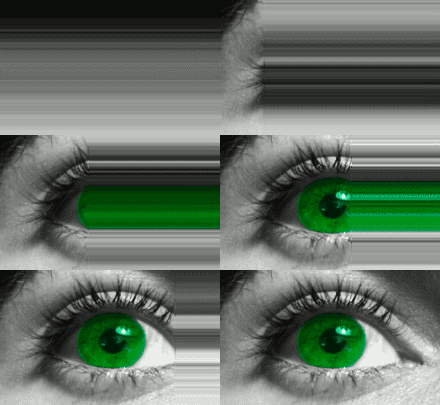
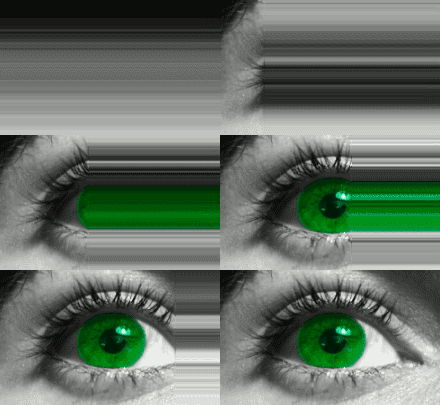
In this tutorial, I'll show you how to create a cool looking "melting animation" using GIMP.The tutorial is in html format. So, just download the zip file to a convenient location, like your desktop. Double-click the zip file and move the html file and the "files" folder to your desktop (the files folder and html file must be in the same location for the images to show up.) Double-click the html file and the tutorial will open.
Although nothing is required for you to download and use this tutorial, giving me a fave would be a simple way to show your thanks. Just click the
 Add to Favorites link on the left side of the page, near the top. You don't even have to give me comments. Come on, people, show a little bit of love for someone who takes the time and effort to do the hard work of preparing these tutorials for your enjoyment and learning.
 Enjoy!
Art
Related content







Comments: 119

How do you create things like this except using a different program?
👍: 0 ⏩: 0


1 thing. HOW THE HECK DO YOU POST ANYTHING FROM GIMP TO DA!!!! IT NEVER LETS ME!!!
👍: 0 ⏩: 1

save as a PNG or in this case gif
👍: 0 ⏩: 0

ummm , what if I have gimp 2.6 and no scripts folder??
👍: 0 ⏩: 0
ummm what if I have gimp 2.6 and python folder not scripts???
👍: 0 ⏩: 0

How did you upload your melt me? Cause I cant!
👍: 0 ⏩: 0


Buen aporte, me gusto mucho me va a servir [link]
👍: 0 ⏩: 0


Hoya!
Thank you for this, it sounds nice. I will read it tonight.
Be funky
M A D
👍: 0 ⏩: 0

that is the best Script and i have no problem with the downloading and installing.
Thankyou
👍: 0 ⏩: 0

Its good, btu I can't stiil can't figure it outtttt
👍: 0 ⏩: 1

Try this instead: [link]
Just download the script and place it in your GIMP scripts folder, open up the image you want to melt, and run the script. It will take care of the rest!
Art
👍: 0 ⏩: 0


Thanks for the tutorial, I havent read yet, but Iĺl do it soon, bye!
👍: 0 ⏩: 0


OMG O.o, U can do animation w/gimp!!!! I DIDNT KNOW THAT!!!!!!!
👍: 0 ⏩: 0

Nice! I will surly try to make something using this tutorial, Thank You for creating it!
👍: 0 ⏩: 0

hmm... sorry to bother you, but the images in the tutorial aren't showing up. 
👍: 0 ⏩: 1
No problem. There should be an "images" folder within the zip file. Make sure that you save that folder and all the images contained within it, to the same place you saved the html file. For example, save both the images folder/html page to your desktop, then double-click on the html file and you *should* be able to see them. Let me know if you have any trouble. After you understand the concepts, you might want to check out this script which does everything automatically for you: [link] But, I do think it's a good idea to work through it manually first so you learn some new techniques.
Cheers!
Art
👍: 0 ⏩: 1
oh, ok, it works now, thanks!
👍: 0 ⏩: 0

Thanks for the tut. Although I didn't use the "melt" idea, this still supplied me with all the info I needed to create my new Avatar. Great job.
👍: 0 ⏩: 1
Glad it was valuable to you! Nice work on the avatar. Let me know if I can be of help.
Cheers!
Art
👍: 0 ⏩: 0


Glad you like it! I also have a script for it here: [link] You just open up the image you want to "melt", resize it accordingly, and run the script. The script handles everything.
Art
👍: 0 ⏩: 0


wow thats amazing really smooth animation 
👍: 0 ⏩: 1
Thanks very much! I love animation.
Art
👍: 0 ⏩: 0


i like it
you hockey fan?
WARNING saving to favs.
👍: 0 ⏩: 2
Sorry for the delay in responding.....Yep, I'm a hockey fan. It didn't take too long to make....15 minutes tops.
👍: 0 ⏩: 1
15 min... thats faster me making a pic... that doesnt move.
thats just sad when i think about it.
👍: 0 ⏩: 1
Well, with just a little bit of practice, you'll be able to work as fast as you want or need to. So, don't think of it as being sad.
👍: 0 ⏩: 1
yeah, i've gotten faster since i left this comment.
i made my newest upload in 2 min.
👍: 0 ⏩: 0
how long did it take you to make?
👍: 0 ⏩: 0

You never fail to make amazing tutorials, Fence! You just inspired a few new avatars for my website with this (most involving phrases like "I melt when you look at me that way" 
👍: 0 ⏩: 1
How the heck are you, Angie?! Been a long time. Thanks for the comments and glad you found the tutorial useful. Make sure you show me your finished product. We miss you at the dome. You came in like a whirlwind and were gone just as fast.
Take care.
Art
👍: 0 ⏩: 1
Lol, wow, you remember me? I didn't think you would, considering how long it's been.
Yeah, I kind of got immersed in my websites and school and music and stuff, so I ended up having to abandon a few of my internet communities (it was a choice between that and sleep
Oh, and here's a simple little banner I made from this tutorial earlier:
[link]

👍: 0 ⏩: 2
Lol, wow, I'm flattered you remember me (and my name
What banner? *scratches head*
👍: 0 ⏩: 1
| Next =>