HOME | DD
 GinkgoWerkstatt — Code Basics: Sidebar- Absolute
Published: 2010-04-11 12:49:54 +0000 UTC; Views: 7597; Favourites: 228; Downloads: 812
Redirect to original
Description

Every now and then it happens that i get asked how to code certain features for journals and similar to that i often see journals where someone struggles with coding from scratch or doesn't exactly know how to do what.
That's why i figured out that it might be helpful to have several very(!) basic code snippets, people can use to get started.
All these code snippets are rather plain code, mostly without any fancy images and much colors. They should just show the start. The possibilities of what can be done with that code are endless.
Also these snippets do not affect the journal in general, they will just add that featured "journal element" and nothing more.
I hope that this will be helpful for some people. To use the code snippets just click install. Everything can be found in the Skin Header or Footer and in the CSS form area.
No additional content code is needed!
Keep in mind that all these code snippets will refer to the gruze-structure, in case special journal classes will be affected by the code.
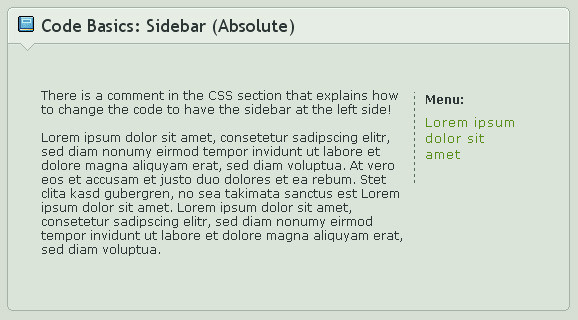
This code has additional information in the CSS code with explanation of how to move the sidebar to the left side.
Have suggestions for more basic codes? Just leave a comment or note me!
Code Basics:
Planned:
Depending on my time, motivation and how useful this will be for people i might add more advanced code snippets later as well.
Related content









Comments: 42

hello!
i know this is like super old but i was wondering, everytime i put this code onto the featured deviation widget the text on the left doesn't appear??
i need help with this eep
👍: 0 ⏩: 1

The widgets are different than journals (what this was meant for). So it could be, that it's not working correctly on the widgets. But I haven't done anything with widget since years, so I can't tell you what is possible and what not these days.
There are some CSS related groups (or have been), maybe they can give you some more up to date help?
👍: 0 ⏩: 1
ah alrighty.
thank you for letting me know!!
👍: 0 ⏩: 0

Please spam elsewhere, thank you.
👍: 0 ⏩: 0
If you click install it is already at the right place. If you want to combine it with any other journal skin you just copy&paste it from the install to the other one (with the same places).
But you qill need a Premium Membership to be able to use CSS code first.
👍: 0 ⏩: 1

What if we combine it with another code? At what part of the body css will we put the code in?
Yes I know about premium membership~
👍: 0 ⏩: 1
Place it either at the top or bottom, that doesn't matter at all, just don't mess up any other classes with it. It's just additional code.
👍: 0 ⏩: 0

;0; Would it be possible to put a simple background, perhaps just a white one into this code?
It bothers me that it's smack over the text, makes it hard to read (with my background anyway)
Sorry to bother you. ;____;
👍: 0 ⏩: 1
Sure, if you want to add a simple background color, you just have to use
background: #fff;
and add that to the class you get after installing this. In this case it should be the .sidebar class
Just place it somewhere between the {...}

👍: 0 ⏩: 1
;0;!! Thanks so much!
You were a huge help ffffff
👍: 0 ⏩: 0

Excuse me, but where do you put this? Anywhere I put it in my journal code it still doesn't work...
👍: 0 ⏩: 1
After you installed this, it's already at the placed where it should be. If you want to add it to any other journal, just copy&paste the code and add them to Skin Header and CSS again.
👍: 0 ⏩: 1
I know, but where in the CSS? I'm pretty new to this so it's probably a stupid question...
👍: 0 ⏩: 1
It doesn't matter where. Can be at the beginning or the end or somewhere in between. The best is to add it to the bottom and a blank space - not between any brackets or class properties.
👍: 0 ⏩: 1
Thank you so much! ^^
👍: 0 ⏩: 0

Sorry if I'm disterbing you, but how do I use this????

👍: 0 ⏩: 1
After installing it (green button at the bottom), you need to go to your journal page and click on that scrollbar skin. Then the code gets applied to your journal. The HTMl code can be found at the "Skin Header" section when you click "Edit Skin".
If you want to use the scrollbar with any other skin just copy&paste the HTML and CSS code.
👍: 0 ⏩: 1
Aww, you see my firend has done this to her journal [link]
Can you tell me how I can get it like this please?? (I have a blue vercion)
Its ok if you carn't. ^^
👍: 0 ⏩: 1
She just did what i told you before
She copied the HTML and CSS code and modified it a bit (changing colors and the heights). That is all you have to do as well. Maybe ask your friend to share the code with you, so that you just need to change the colors?
👍: 0 ⏩: 1
Oh ok.
Thank you so much, I'm so sorry for being a pain.
👍: 0 ⏩: 1
You are not, but there is not way to explain it "easier" for me :/
👍: 0 ⏩: 1
Its ok I'v got it now. ^^
Thank you again

👍: 0 ⏩: 0

this was very helpful along with other of your css tutorials
how would you make a sidebar scroll so you can put as many stamps/links without making it go over the journal css? thanks

👍: 0 ⏩: 1
You need to give the sidebar or an element inside of it a fixed height. And then you need to add overflow: auto;. That is all

👍: 0 ⏩: 0


What's really the difference between using absolute and relative+float for sidebars? Are there any visual differnces or does it all just depend on what you prefer to do?
👍: 0 ⏩: 1
I hate to explain that - but yeah there are differences.
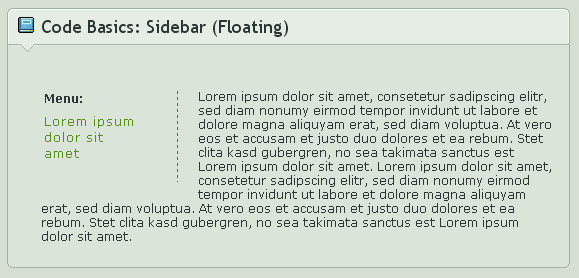
The "floating" version is still bound to the general box modell structure - it just moves content that is in their way away. So that content and the sidebar will never overlap. Means they both affect each other (or mainly the floating sidebar the usual content).
The "absolute" version doesn't care for the box modell or any structure. It has a defined place and will stay there, no matter if you have regular content at that place already. That means, that whenever you use something "absolute", you have to create free space for it. Otherwise text and sidebar will overlap.
I have made some graphical examples at my CSS guideline a while ago, maybe take a look at that. Images explain that easier most of the time 
So it's not just a matter of what you like more, but also on what is needed for a certain layout.

👍: 0 ⏩: 1
Oh I see! 
When they overlap, how is it decided what will go on top if they both have the same z-index?
👍: 0 ⏩: 1
Yes, if you work on a normal website everything has the same z-index by default.
For the journals they already have a different order, so everything of the predefined classes like .journalbox/.gr-body will be below anything that is custom made by you.
That means that whenever you create a sidebar it automatically will be put on top of the regular journal content you just type down without any extra wrapping code and order.
👍: 0 ⏩: 1


Haha no, i am not good.
It is just a way to hopefully prevent that i have to answer the same questions again and again 
👍: 0 ⏩: 1

Das ist Sinn der Sache!
👍: 0 ⏩: 0

That's good to hear!

👍: 0 ⏩: 0