HOME | DD
 Kai1984 — Avatar Animation Tutorial....

Published: 2011-09-05 07:20:21 +0000 UTC; Views: 20462; Favourites: 487; Downloads: 209
Redirect to original
Description

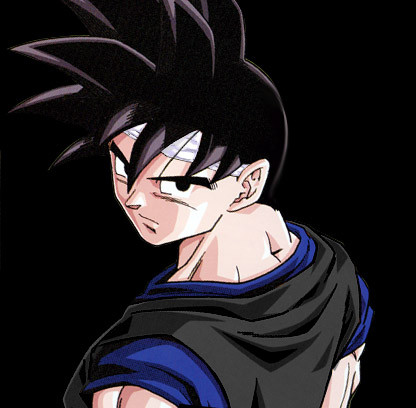
I've had a few ppl ask me how I animated my Deviant Avatar...
so here it is folks!!
I made this as simple as I could, so I hope it's easy to follow
I did my best to supply pictures, and since I didn't have the original saved >_<
I made a new one for all to enjoy!!!
here is the PSD file link if you wish to download the "shine effect" I made, instead of making your own [link]
You don't need to ask for permission, but all I ask is you credit me if you use it....Thank you all!
Hope this is helpful!!
The pic used for this tutorial was for a wonderful friend of mine, so please go check out her gallery!!
*side note* This has become very popular in such a short time and I will do my very best to thank people for commenting and faves!!! But I will say THANK YOU ALL!! right this very second!!! You all ROCK!!


Related content



Comments: 51

A very helpful animation.
Used this tutorial for creating some of my own animation icon demos.
Weird thing though, I made several versions and sizes. But at Twitter when used for profile gif images the animation is either slow or frozen.
Wonder why?
Might have to look into that to fix it.

👍: 0 ⏩: 1

well it could be like facebook where you can't post gif or animated files and they just stay motionless...
And thank you for finding it helpful

👍: 0 ⏩: 1
You're welcome. 
Yeah, I have to wonder if that's the case. Yet it says that JPG, GIF, and PNG are all possible avatar files. But when I try the GIF image does appear motionless or sluggish in its speed (It seems to change slightly when I go over links on the page.). I think I may check support to see about whether this file is compatible for their avatar settings.
👍: 0 ⏩: 0


You are most welcomes...hope it comes in handy for ya
👍: 0 ⏩: 0

lol ^ ^
You are very welcomes!!! I hope it comes in handy for ya

👍: 0 ⏩: 0

you are most welcomes!! and thank you for enjoying it!!

👍: 0 ⏩: 0

Wow! Thanks so much for posting this! It's very much appreciated!
👍: 0 ⏩: 1
You are most welcome!! I hope it all works for you if you decide to give it a try!!!
and I appreciate you for checking it out!!! much love!!!
👍: 0 ⏩: 0

I used photoshop elements for the one I made. Seems a bit easier than the full photoshop
👍: 0 ⏩: 1
that's cooL! I'm not familiar with elements....had to google that one XXD
wow, it's a lot cheaper...I'll have to look into it
thanks friend
👍: 0 ⏩: 1
I don't blame you on that XXD
Programs are crazy expensive
👍: 0 ⏩: 0

I used a gif animator for mine. Can't remember what it's called.
👍: 0 ⏩: 0

I use Corel Painter :/ but my avatars are usually something I have found already animated. I would love to see how you would make the eyes blink or mouth move though
btw awesome emoticons!!!
👍: 0 ⏩: 2
I've done one eye blink and it was ok I guess
it's alot of work XXD
you can view that here
[link]
the purpose to my tutorial was strictly for the shine effect over the avatar....apparently ppl like that effect XXD
Perhaps in the future I can make a tutorial on something with eye or mouth movement
was there something specific you wanted done? like from another pic or something?
👍: 0 ⏩: 1
hmm just the eye and mouth movement really, I want to make my own original. Too afraid to walk into digital animation territory haha without proper guidance
👍: 0 ⏩: 2

Actually, digital animations aren't too difficult, except if you're creating major movement.
See, with my avatar, I drew my head, then erased really tiny chunks at a time and set the framerate rather high.
(I think it took about 38 frames...)
👍: 0 ⏩: 1
that's good advice!! Thank you for that!! I may have to try that myself in a few mins lol
cheers friend!
👍: 0 ⏩: 1
No problem! If you draw alot, animating can really bring out the appeal in your pieces.
If you want, you can check out my gallery. I think some of the newer stuff is animated, haha.
👍: 0 ⏩: 1
cool!! yea I saw your avatar and tried a quick version out for myself
thanks for that!!
Now I just have to do it on a larger scale
👍: 0 ⏩: 1
Anytime! (:
Helping others is what I do.
Watch for a watch?
👍: 0 ⏩: 0
I learned from google and youtube tutorials and just figured the rest out...it takes time and patience
👍: 0 ⏩: 0
the fook?? them emoticons didnt show up!! TT.TT
👍: 0 ⏩: 0

*only has Paint* Sigh... time to give up on that dream or pay for a commission.
👍: 0 ⏩: 1
if u want an avatar made send me a note with what pic u want done in that tutorial fashion
👍: 0 ⏩: 0

ok, you may have already said it, but I either didn't look into the comments enough, or I'm blonde and it is like right their, but what program did you use to make your avatars?
👍: 0 ⏩: 1
lol...no worries
Photoshop CS3 ^ ^
👍: 0 ⏩: 0

thank you!! I'm glad you like it!
👍: 0 ⏩: 0

cool!!! never used flash yet!! best of luck
👍: 0 ⏩: 0

shiiineee~! will try..
but first need to reinstall PSD..
-,- XD
👍: 0 ⏩: 1
awesome!!! it doesn't take too long to reinstall XD
best of luck
any problems, just ask ^ ^
👍: 0 ⏩: 1
ahh but the main prob is i am away from my dearest pc/.. -,- XD
thankies~!
👍: 0 ⏩: 1


Oooooo~
I'm gonna find this useful :3
Just slightly confused on the impacting light copy
👍: 0 ⏩: 1
tell me what you are confused about and I can try and explain it a different way to you
👍: 0 ⏩: 0

wow! I came across this on the frontpage before my inbox! Congrats, it's a very helpful tutorial
👍: 0 ⏩: 1
Thank you!!! Yea ppl have been saying it's in the "popular" search category!
I'm super Stoked!!!!
I hope I can get that featured category slapped on it!
👍: 0 ⏩: 0

anytime!! I hope you find it useful
👍: 0 ⏩: 0


anytime my friend..I hope you find it useful
👍: 0 ⏩: 0