HOME | DD
 Lisajen-stock —
easy cut out - tutorial
Lisajen-stock —
easy cut out - tutorial

Published: 2006-03-25 11:34:13 +0000 UTC; Views: 36834; Favourites: 486; Downloads: 6455
Redirect to original
Description
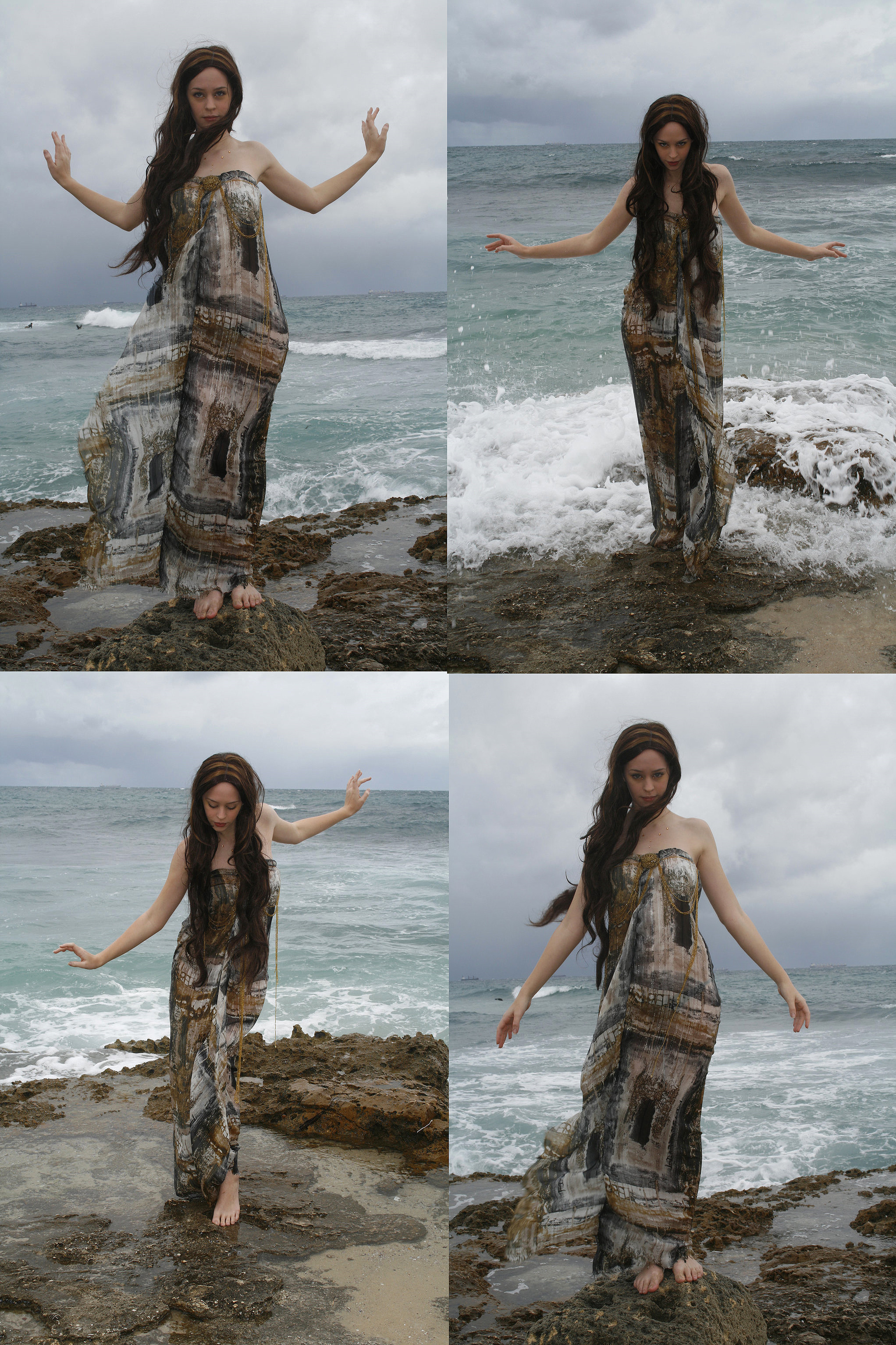
this is a small tutorial (more to come) to seperate a person from the background.we our stock pictures with a background in the same color so it's easyer to cut out.. even when the dress is allmost the same color as the background (wich we did as an example)..
this is allso a small preview of what's more to come in our stock gallery..
i hope this tutorial will be usefull..
we made it as easy as possible for the beginners..
have fun
next tutorial to come is about the bracelet jennifer allways has on..
it's about how to remove it... so keep checking in for more tutorials..
grtz jennifer and lisa
I give permission for to submit and display this work.
Related content






Comments: 257


What the heck is the magic eraser?
Is it some photoshop exclusive tool that my GIMP doesn't have? XD

👍: 0 ⏩: 0


Tried this just now. Worked quite well! I shall have to remember this one.
👍: 0 ⏩: 0


very nice.. can I translate for my italian forum?obviously I'm going to put the credits
👍: 0 ⏩: 0


which is better? to use pen tool or magic eraser?
👍: 0 ⏩: 0

I honestly never thought of changing the tolerance on the magic eraser. . . I can't wait to give this a try! Thanks!!!
👍: 0 ⏩: 0

what is the magic eraser tool? how do you get to it?
👍: 0 ⏩: 0


Thank you....it was very simple...you are a life and time saver!!!!!
👍: 0 ⏩: 0

Lol, I wore that Halloween costume last year....xD
👍: 0 ⏩: 0


To make edges even smoother and to prevent that aweful 'cutout' look, I always recommend (after cut out) selecting the empty surrounding, using a slight feather (3 or 4 pixels are enough) and press delete. This way, the object looks a bit blurred around the edges and will fit in better...
👍: 0 ⏩: 1

Thanks for the tip...very usefull

👍: 0 ⏩: 0

This deviation has been featured temporarily in my Resource File at this link:
[link]
- I hope that it brings you some new fans 

Sandi ox
👍: 0 ⏩: 0


I'm here to give much love for teaching me a new trick. I'm glad I stumbled over this ever so helpful tut. 
👍: 0 ⏩: 0

So THAT'S what the tolerance is for. XD I love the magic eraser, but it can be sooo frustrating sometimes. THIS MAKES IT SO MUCH EASIER! 
👍: 0 ⏩: 0

o.o Holy Hera. I'm gonna try this cut out method now. I'm so glad you guys posted this. Wish I had found it sooner. lol
👍: 0 ⏩: 1


Okay Okay! I finnally got Photoshop 7.0. So i can start photo manipulating
👍: 0 ⏩: 0

thankx.........i can't understand...can somebody help me i do not know how to use photoshop??
👍: 0 ⏩: 1
You have never used photoshop before?
wich photoshop do you have? 7.0 or CS .. or....?
👍: 0 ⏩: 0


fantastic tutorial
I've not watched your account, but everything I see submitted to clubs and such is totally amazing. You make a great team...and I'm so excited you are doing so well. You both deserve it!!
take care
and keep that kick ass stock coming!
ayleene
👍: 0 ⏩: 1
Thank you so much for the lovely comment
Well it's a litlle busy here right now but we will manage
👍: 0 ⏩: 1
you're doing a fantastic job ladies.
👍: 0 ⏩: 0
I just a need a big tutorial on how to do this 
Nice tutorial.. now i need to find a nice program that i accually like
👍: 0 ⏩: 0
I got another question! Where is the eraser on adobe illustrator?
👍: 0 ⏩: 1

Sorry !
👍: 0 ⏩: 0

I have no idea i don't have the program but it could work, maybe you have to try find the tool, if there's an eraser there should be something like a magic eraser, or instead you could use a tool that selects a part of the image thats in the same color and then erase it.
Grtz
👍: 0 ⏩: 1
ok i have to get the trial again and my computer hates me
👍: 0 ⏩: 0

thanks for this informative tutorial. it's very helpful.
👍: 0 ⏩: 1


This tutorial is very useful!
I would still have an objection, the model's underware can bee easily observed... It's too bad, cause the dress and the model are both beautiful!

👍: 0 ⏩: 1
So, is that bothering? as a manipulator you can fix that easy!
It's a see-trough dress and i'm not into the nude thing, so rather seeing the underwear then al the other stuff....
👍: 0 ⏩: 0

I love you guys

This is a very clever little tip- thanks
👍: 0 ⏩: 1
Don't worry about the hair, i'm sure it will look great when it's finished, you don't have to cut around every wave of my hair just cut around it and if you don't wont to draw extra hair then use the smudge tool to make some extra locks....you'll figure it out.
About that 5 minutes cut out, i did told you once that it doesnt take long for me to finish something
Grtz Angie
👍: 0 ⏩: 0

Small problem...I can't find the magic eraser tool, lol. It should be in the toolbar, right? 'tis not there.

👍: 0 ⏩: 1
| Next =>