HOME | DD
 Lodmot — Windows 9 Start Menu Concept - Part 2

Published: 2014-03-27 20:20:06 +0000 UTC; Views: 2763; Favourites: 12; Downloads: 31
Redirect to original
Description
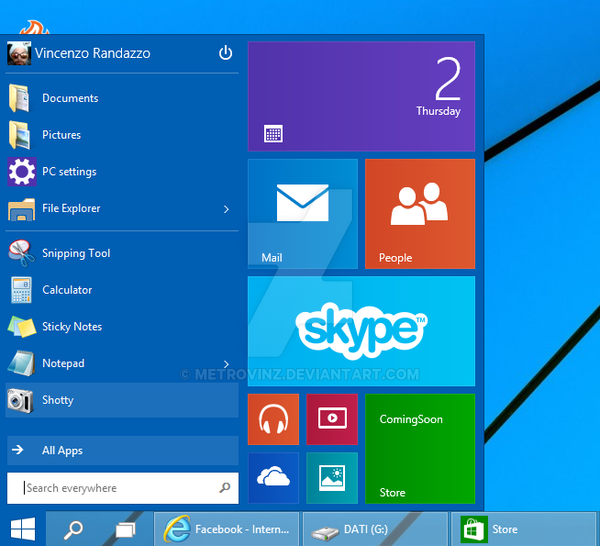
This is a continuation of my Windows 9 concept image that I posted earlier.Here, we have a list of all applications installed on the computer. It is shown by clicking on the "All Apps" button. In this screenshot, the "All Apps" button is actually now a "Back" button, because when you click it again it takes you back to the section shown in my first concept image. So the "All Apps" button is basically a toggle switch that changes between this screen and the first screen.
Another thing about this Start menu is that it shares the same settings that the full-screen Start shares.
For example, if in your "Taskbar and Navigation Properties" you have "Show the Apps view automatically when I go to Start" enabled, it will also be enabled in this Start menu. It gives the whole design another level of consistency which I think is important.
In case you missed it before, here's a link to a video I made explaining the concept in broader detail:
www.youtube.com/watch?v=dkjec-…
Related content











Comments: 1

I like it... Just a bit too transparent.... My taste. XD
👍: 0 ⏩: 0