HOME | DD
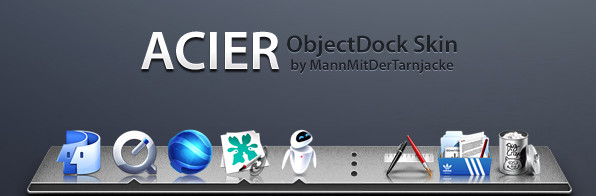
 MannMitDerTarnjacke — Eclat ObjectDock

Published: 2009-10-31 02:32:52 +0000 UTC; Views: 18013; Favourites: 76; Downloads: 4093
Redirect to original
Description
If you have any questions, just ask!Related content






Comments: 24


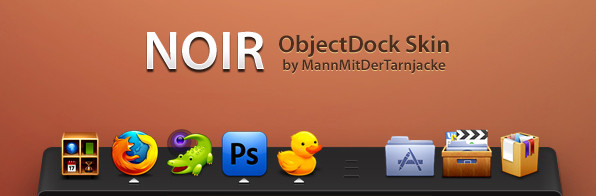
Hello MannMitDerTarnjacke, I am using your skin for my ObjeckDockPlus 2. Actually I have a problem with it, I cannot get the icons above the white border, it always sticks with it. Moreover, I cannot change the indicator after copying the indicator file into running Indicator folder. You have any suggestions for me?
👍: 0 ⏩: 0


Take a look at the included "Icon.psd" and "Read it!" files. You have to create the reflections manualy for every single icon you use, ObjectDock has no feature for automatic reflections.
👍: 0 ⏩: 0

[link]
Download the "Ekisho D.O" Icon pack.
👍: 0 ⏩: 0


I'm glad you like it
👍: 0 ⏩: 0

Love this dock! featured on MacRemix.com [link] ! Thanks!
👍: 0 ⏩: 0


Thanks, I'm glad you like it
👍: 0 ⏩: 0

Great dock, your docks always seem to impress me well done 
👍: 0 ⏩: 1


A more precise step-by-step tutorial to change the size of the icons in Photoshop would be nice.
👍: 0 ⏩: 1
Well, first of all, your icons have to be in .png or you need a .ico plugin for photoshop.
You open my Icon.psd and then you open your icon. First scale it down to 128x128px (if it's bigger) with the "image-> image size" option. Next you select all (ctrl+a) and copy it.
Go to Icon.psd and press ctrl+v (so paste the other icon in here).
Then you go to edit -> transform -> scale. While pressing your shift-button, drag an edge and scale down your icon, till its completely above the guideline (to see it, you have to go to view -> show -> guides).
At last just save your icon as .png.
👍: 0 ⏩: 1
That's really precise! Thanks.
Great work on the docks. Hope to see more dock skins for ObjectDock!
👍: 0 ⏩: 0