HOME | DD
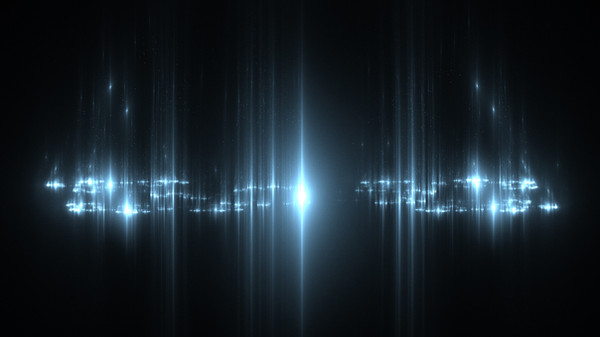
 mfcreative — Apophysis Star Tutorial

Published: 2008-11-13 17:28:18 +0000 UTC; Views: 8183; Favourites: 68; Downloads: 273
Redirect to original
Description
This Apophysis tutorial is to learn how to make stars in Apophysis simply and quickly. You can view the whole tutorial hereRelated content


Comments: 42

Is there any other way that I could access this? The site in the link said that it wanted to read my cookies, and I don't want it doing that, so it won't let me view it. Help? XD
👍: 0 ⏩: 0

I have a project, I want to create an image of a universe using only apophysis fractals.. this tutorial can help me!! thanks!! 
👍: 0 ⏩: 1

That sounds pretty cool, I hope to see it one day
👍: 0 ⏩: 0


WOW ...Will have download this and check it out...
Thanks for sharing Mandy...
👍: 0 ⏩: 1
You're welcome. Hope this helps you
👍: 0 ⏩: 0

Very nice work and you're welcome
👍: 0 ⏩: 1

I found that adding 1 for Noise in the first transform and messing with the size of the 1st triangle got more natural, stardust-like results.
Again, nice tutorial! It's simple and self-explanatory.
👍: 0 ⏩: 0

xmandypandyx ,thx it was brillant tutorial
"Turn on, tune in, drop out."~Timothy Leary
[link]


👍: 0 ⏩: 1
You're welcome. Have fun with it
👍: 0 ⏩: 0


I am definitely going to use this! Pretty simple and easy to follow.
👍: 0 ⏩: 1
I'm glad you will use it. Have fun with it and I look forward to seeing the end result
👍: 0 ⏩: 1
There's the end result. [link]
👍: 0 ⏩: 1
Very nice end result 
👍: 0 ⏩: 1
Thanks! I definitely found it useful!
👍: 0 ⏩: 0

Thanks for the tutorial! This is what I created with it: [link]
👍: 0 ⏩: 1
That's ok. Very nice what you have done with the tutorial
👍: 0 ⏩: 0

Thank you for this cool tut. I have been trying to make little sparkles for some of my pieces and not acheived results as well as this one. I will definately have to use this more and more in the near future
👍: 0 ⏩: 1
I'm glad you have found this helpful
👍: 0 ⏩: 1
Oh I did. Mistletoe Dreams (my latest piece) was inspired by this. I have been playing around to see what all I could do with the stars.
👍: 0 ⏩: 0

Great tutorial, thank you for posting it! this is something i made using it, but instead of just the 2 transforms i used a third layer and used the turn right button, and moved it down some, and created this...
[link]
👍: 0 ⏩: 1
Aww very nice. Well done on making your work, very nice
I'm glad that the tutorial has helped you. It is fun finding out what you can created with moving things and adding
Thank you for using my tutorial
👍: 0 ⏩: 1
Thank you, and it really is fun and thank you for making the tutorial!
👍: 0 ⏩: 0

Quite a realistic starfield! I'd also add that gamma should be 2 or less, low brightness, gradient de-saturated, plus the julian variables are best at power = 3 or 4, distance 1 or less, although some more unusual features appear at higher distances.
👍: 0 ⏩: 1
hey thanks for this. I will add some of this in so it will help people more. Thank you so much
Glad you have helped me with this

👍: 0 ⏩: 1
My pleasure! I once wrote a script for adding a starfield, but it only seemed to work on a moderate percentage of flames. With this, it would be ideal to render with a transparent background and layer it into a space scene - I have one such waiting...
👍: 0 ⏩: 0


