HOME | DD
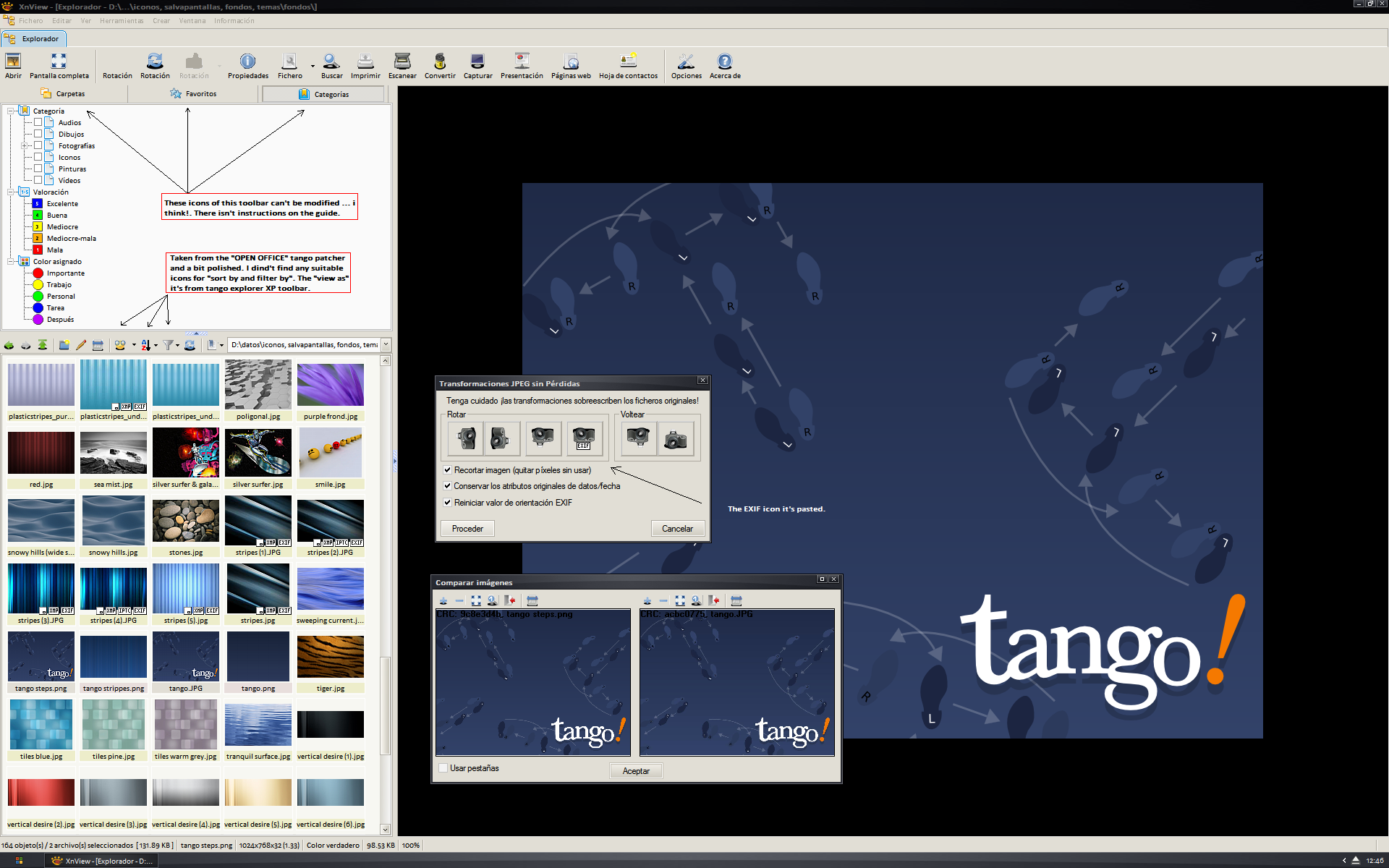
 orbtwin — Tango XnView Toolbars
Published: 2008-02-24 16:56:19 +0000 UTC; Views: 9814; Favourites: 15; Downloads: 1038
Redirect to original
Description
hello:this is my first attempt in skinning an aplication. XnView (free image viewer)
To use: simply: extract "tango" folder in your sub-directory named "skins" of your default installations of XnView. The in Tools-->Options-->Toolbars-->Skins choose this one et voilà!
Enjoy it
Related content




Comments: 12


yeah!, it's possible ... good job

👍: 0 ⏩: 0
hey!.
select two or more images, right click them and in the contextual menu, press "compare" ... fourth options below
👍: 0 ⏩: 0

nice job!. i never have enough time to improve my skin...
otherwise: are you found any VLC tango skin...it's difficult to do one with the skin builder.
cheers
👍: 0 ⏩: 1

No, I migrate to KMplayer now. It's much better (for subtitles), but do not have time for skin
👍: 0 ⏩: 1
Finaly I ended with SMplayer. It has Tango theme
👍: 0 ⏩: 0
Can you fix the shadows? Try to create it on gray background (windows default dray), then use bucket of magenta. Tango icons have transparency channel, here you lose that channel.
👍: 0 ⏩: 1
sorry, but i'm migrating and learning about ubuntu and i have no time...
cheers
👍: 0 ⏩: 0

~anonymous-bot said, "iconanonymous-bot: The shadow on the icons need fixing. Thanks"
So do I.
👍: 0 ⏩: 0
