HOME | DD
 pcmaniac88 — Append Step by Step

Published: 2010-12-21 17:28:21 +0000 UTC; Views: 50640; Favourites: 2098; Downloads: 1757
Redirect to original
Description
Before you download this image, i'd want to warn you that this isn't a tutorial.This is a step by step i promised in my previous journal.I'm not sure which category i should be submiting this into D:
Anyway here's a quick step by step on how i did my append work.Sorry if it's nothing much >_<
Download to fullview

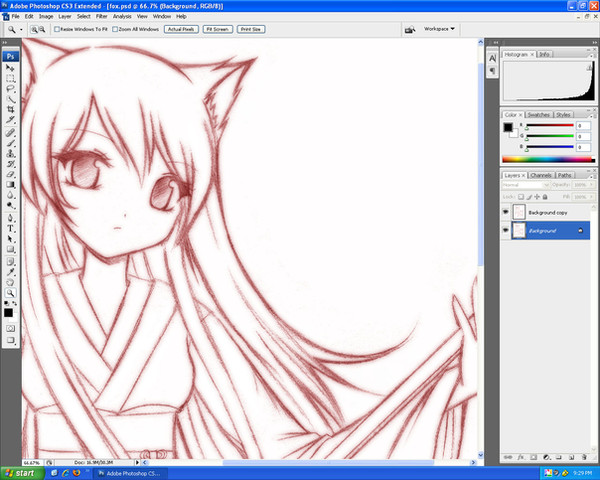
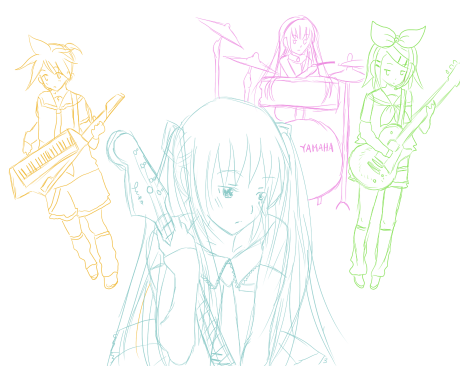
I use SAI for the rough sketch and outline.
Then i transfer to photoshop cs2 to fill in colors
Related content









Comments: 147

hey thank you for sharing! really love your style! are the lines colored as well do they remain black?
👍: 0 ⏩: 0

What have you done at the third and forth step? Your art is amazing *O*
And what brushes do you use in photoshop?
👍: 0 ⏩: 0

In third and forth panel, what brush or technique do you use to do the lineart?
👍: 0 ⏩: 0


I love how you drew Miku!
The hair is amazing! I just love it!
👍: 0 ⏩: 0


Its seems to me that it looks like tutorial.. well,this is good chance for me to learn something.. Gonna upgrade my ability with this! Btw,its looks awesome!
👍: 0 ⏩: 0


I absolutely LOVE THIS!! (: Please make more of these with upcoming arts???? Pretty pretty pleaseeeee 
👍: 0 ⏩: 0


do you have a youtube or livestream oranything videos of your work?
👍: 0 ⏩: 0


May I ask what do you use to outline the sketch? I find the pen tool in Sai irritating since I always see the dots. Please, someone tell me!
👍: 0 ⏩: 2

Did you used the normal pen tool or Vector Pen?
👍: 0 ⏩: 1
I use the vector pen tool and I find the dots so irritating when I see them, but they are good in correcting the lines so I want to know what others do, just to learn something new..
👍: 0 ⏩: 1
Well, what irritates me is how a lot of people manage to outline nicely. It took me like forever to do a nice lineart. I would also like to know that, then.
👍: 0 ⏩: 1
But they never reveal it!!! I now use mangastudio to lineart. But I need to do it in Sai sometimes, so I really need to know.
👍: 0 ⏩: 1
like, how could you do lineart at mangastudio?! I was like, trying thousands of time to create perfect lineart at MS. It was amazingly hard. Then I gave up and decided to lineart at SAI.
👍: 0 ⏩: 1
Ah! It's far more easy in mangastudio. Just sketch using marker then in a new layer, use the pen tool. I really love the pen too in mangastudio since it's so smooth but I'm really not used to other tools. Do you have a tablet, by the way? It's easier with a tablet..
👍: 0 ⏩: 1

Ah! I've finally found a way on how to line in SAI. Currently, I'm not using Vector pen anymore since it resulted dot like you say. I suggest you use normal pen on layer and set your stabiliezer/smoother to a higher number if your hands shake a lot. I hope this help ^^ Thank you.
👍: 0 ⏩: 1

How about finding out for yourself?
She probably uses the brush tool or possibly the marker tool for it. Who knows?

👍: 0 ⏩: 1
Marker tool for lineart? Kinda weird, but I'll try everything. Thanks. (and I never knew she's a girl)
👍: 0 ⏩: 1
I do that sometimes :S You're welcome.
(I never knew? Huh, I thought it was obvious)
👍: 0 ⏩: 2

uhmmmm....fyi pcmaniac is a guy

👍: 0 ⏩: 1
Wow, really? Should've guessed from all the girl art

👍: 0 ⏩: 0
i'm not good in stuffs like that, gender guessing i mean..
👍: 0 ⏩: 0

I love yoru artwork. I am now a die-hard fan and this is the second image that was viewed!!!!
👍: 0 ⏩: 0

-looks at this- ok, so i do that...then i do this...and finish with this, but my pics still look realy terrable compared to this D:
👍: 0 ⏩: 0

very neat, which photoshops tool do you generally use for colouring?
👍: 0 ⏩: 0

hwew.. u really concerned about the line art O__O nice..
👍: 0 ⏩: 0


It's not a tutorial, but I tell you, I learned a lot from it. It's really useful! Thank you for making it
👍: 0 ⏩: 0


Do you use PS to shade? Or do you transfer back to SAI? OwO
👍: 0 ⏩: 0


best one is the first stage of coloring with no shading.
👍: 0 ⏩: 0

may I ask; in the end, how many layers do you use for all?

👍: 0 ⏩: 0


Amazing... What brush type do you use for the clean lineart (panel 4)? How thick, how much flow, and so on.
👍: 0 ⏩: 0

how did you get from panel 3 to 4? Did you re-line everything with a smaller brush? my lines always end up being so thick and I think they take away from my colours... is there some sort of trick or did you just go over it?
👍: 0 ⏩: 1
| Next =>