HOME | DD
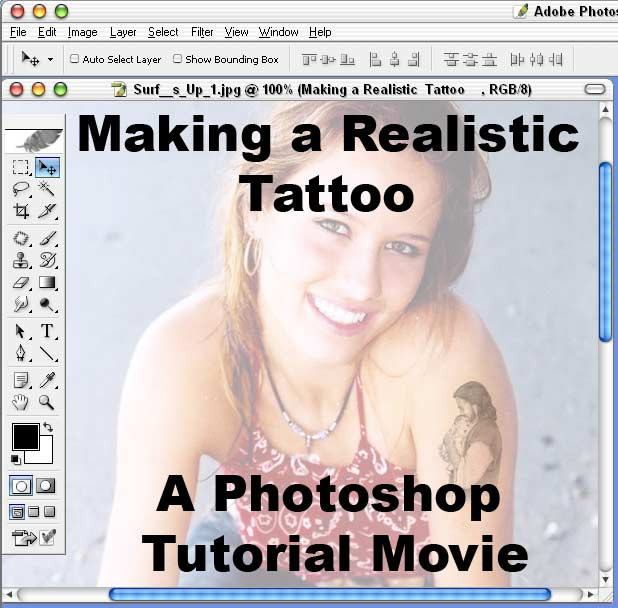
 Planet37 — Realistic Tattoo Tutorial

Published: 2011-02-07 17:18:38 +0000 UTC; Views: 14713; Favourites: 290; Downloads: 708
Redirect to original
Description
dinosaur vector: [link]birds: [link]
model: [link]
stars: [link]
***FULL TUTORIAL FEATURED HERE: [link]
_____________________________________________________________
© Matt Davis. All rights reserved. Images may not be used without permission.
Visit my website for more photoshop tutorials: [link]
Related content





Comments: 11

cool tips, id like to see a full sized image of the tatoos though. ive never actually painted a tatoo but ive found by studying other peoples that main think ive found that makes tats look real is slight fading, and being able to see the pores (which i cant see here) although overlay and colour should still allow you to see them, but id probably try copying the section of skin under the tat, desaturating it and setting it to soft light or something with a low opacity so the cotrast is clearer, although i dono if that would be necicary.
👍: 0 ⏩: 1

Hm, good idea about the pores. The photo I used wasn't a high enough resolution to see the pores, so I was mainly relying on the tones of the skin to show through the tattoo. But if I was to use a close-up photo on the skin, I would definitely concentrate on making the pores more visible.
👍: 0 ⏩: 0

Huh! Much simpler than I would have thought. Very cool!
👍: 0 ⏩: 0


