HOME | DD
 Raindropmemory — [DOWNLOAD] Molecule Cursor
by-nc-nd
Raindropmemory — [DOWNLOAD] Molecule Cursor
by-nc-nd

Published: 2014-01-18 11:58:11 +0000 UTC; Views: 101300; Favourites: 688; Downloads: 12585
Redirect to original
Description
Mini size cursor (thus, the name Molecule) for Windows. Small and cute yet usable. Initially planned as a 2014 New Year gift (well, that’s half a month late!)
Please enjoy!
P.S. Windows users only…by the way
 See the animated preview here → artofraindropmemory.wordpress.…
 INSTALLATION
1.Unzip the downloaded file. You should see the text file named “Right click and Select Install“
Yeah, just do it then, right click at the file and select ‘Install’
2. Go to your “Mouse” properties in Control Panel. Select the ‘Pointers’ tab. At the drop down box choose ‘Molecule Cursor by Raindropmemory’ and you’re good to go.
You can, of course, change those cursor manually. Be sure to check out the ‘Extra Cursor‘ folder for alternate cursor style.
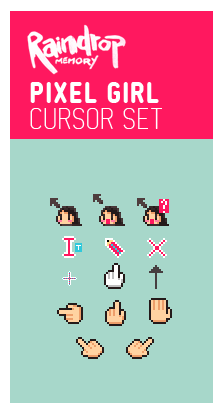
My previous cursor ↓
แจกเคอร์เซอร์ครัช! ใช้ชื่อว่า “โมเลกุล” เพราะอันเล็กจิ๋วน่ารัก โหลดกันเลย
จริงๆตั้งใจทำไว้แจกปีใหม่ (#แต่ก็เพิ่งเสร็จบ้างอะไรบ้าง)
ป.ล. ใช้ได้แต่บน Windows นะครับ
Related content









Comments: 79


Love the cute yet minimal look! totally using these now!
👍: 0 ⏩: 1


Wow. So Awesome. Like the subtle 3D style. Love them!
👍: 0 ⏩: 1


Started using this because it looked ADORABLE and I'm so happy I did!! Thanks so much!!!
👍: 0 ⏩: 1


so ... freaking... cute, im using it, is the cutest thing ive ever installed. im a male. and damn i feel girly but i love it.
👍: 0 ⏩: 1

haha, thanks. Every man has girly side!
👍: 0 ⏩: 1
but some men think obscuring that side makes them more MASCULINE. thanks for the cursors!
👍: 0 ⏩: 1
Ah, you're welcome~ : )
👍: 0 ⏩: 0


It's my pleasure!

👍: 0 ⏩: 0
<= Prev |