HOME | DD
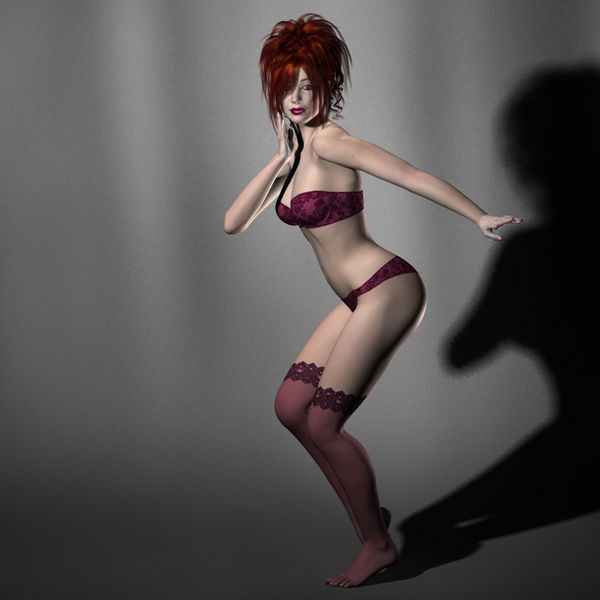
 rendercomics — Sultry (Shayla)
[NSFW]
rendercomics — Sultry (Shayla)
[NSFW]

#3d #female #glamour #hot #nude #poser #sexy #tutorial #dazstudio #redhead
Published: 2015-11-18 18:07:23 +0000 UTC; Views: 2194; Favourites: 24; Downloads: 0
Redirect to original
Description
More hair to die for today as Shayla gets her turn. One thing I like about Studio is the shaders you can use are pretty straightforward, and once you know what each channel does, they look good. The channels are standard, CG , and they work as they should. Once you get a good shader preset (DAZ iRay, HSS, Omnifreaker) you can use that pretty exclusively and get good, consistent results once you learn the channels.With Poser, you can go crazy with an infinite number of shader nodes (you can do this in DAZ Studio too with Shader Builder, but it is for the most part hidden). This is a good thing and also a bad thing. It is a good thing in that it gives you options, and it allows the program to do some incredible stuff. It is a bad thing in that you will sometimes get skins and other materials made by some great material artists engineered to look a certain way instead of model physical reality. They won't look the same as other figures, such as having a high blinn or some other artistic aspect that makes them unique. All well and good, but I value interchangeability and having everything look like it is being shaded by the same shading methodology.
One of the last pictures I did where all the figures were shaded using the artists' out-of-the-box shaders was this one:
Mature Content
...Sundari (closest) is blown out on her reflectivity, Mi Sun looks good, Sylvie almost has no specular and looks dull, and Neeva in the back has a very high, waxy look. It is a great picture, with a couple flaws, and these are all the original artists' interpretation of how skin should look, all different. While each model should look different, and even have differing reflectivity and skin types, they should not look this different. Some products are made for certain programs or light sets, and you run into that often.
With Shayla, above, I ran into many issues, even with the presets labeled for use with Studio. The bump channels weren't turned on, there were some issues with specularity, and a bunch of other issues. Now, the product is old, and products typically don't get updated for the new features and new versions of the program, so it is not always the artists' fault, the files and formats get old and strange things happen when using old sets. The older the set, the more you need to be aware of things breaking when loading presets made for the program. This applies in Poser as well.
And Shayla's hair looks awesome, and I did a slight color on one of the wide-area specular channels to avoid a washed-out look that was too white, so we could get back to her natural color (or slightly colored, you know how these things go). Her skin is fabulous, asymetric with unique details and it is not uniform like some plastic barbie doll across her body. Wonderful stuff, and the multi-layer approach is working well here with her as well.
Related content




Comments: 2


Thank you! Even though these are tutorial and technique style posts, I like to make them shine to show the outcome.
👍: 0 ⏩: 0