HOME | DD
 sid-crafty — Windows7 RTM Aero theme for XP
by-nc-nd
sid-crafty — Windows7 RTM Aero theme for XP
by-nc-nd

Published: 2008-12-06 17:52:22 +0000 UTC; Views: 320294; Favourites: 103; Downloads: 186388
Redirect to original
Description
This theme will work for only 1024x768 monitor resolution screens with the wallpaper in stretched position..... and if you want other resolution themes, please note it to me along with the resolution and i will publish it.If you take any idea from this theme please give me the credit!!!
If you want to express your thanks, comment or fav it...
and if you want to keep updated to it, add me to your watchlist
What's new:
-all bugs fixed
-correct position of start orb
-new titlebar buttons(max,min,close,etc...)
-correct position of titlebar buttons
-new glossy start menu
-new caption frames
-new taskbar with blur and aero
-new shellstyle
-new show desktop image
-new taskbar buttons
-and many other changes, i can't count...
Details of Previews:
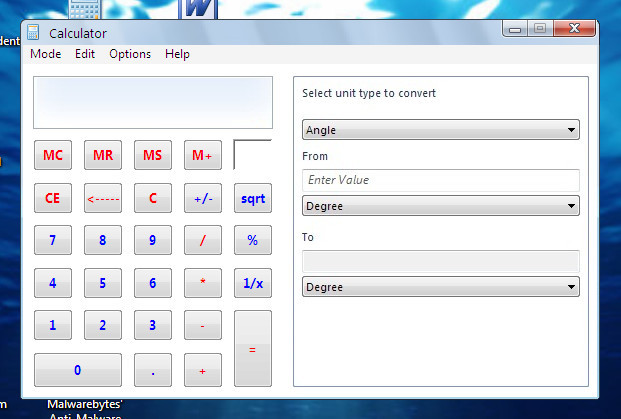
Top left corner-Explorer window
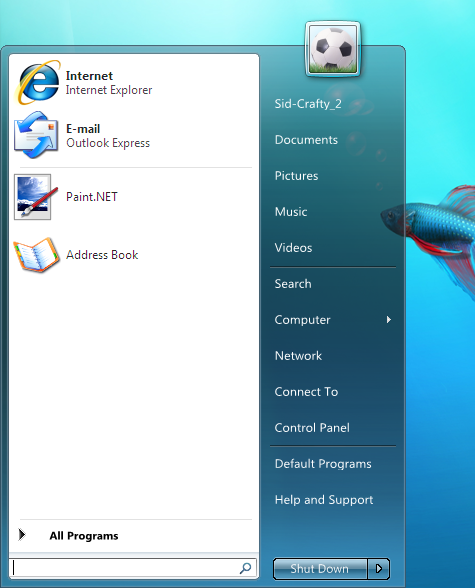
Top right corner-Start menu
Bottom left corner-Desktop
Bottom right corner-Vistart, BorderSkin, Styler and Viglance running...(Address bar cut due to the bug in BorderSkin
Credits:
Vishal Gupta for his core theme, SevenVG
mazzard for his various suggestions.
peterrollar for his encouraging comments and his taskbar idea.
and many more.....
Now the impossible has been done possible!!!!!!
It is the most unique theme in the following ways
The first theme with the correct Taskbar!!!
The first theme with the same caption and toolbar background image!!!
Got the show dektop button on the extreme left(though it doesn't works)
The correct systray icons.
One line Systray icons
we have transparent taskbar for default win7 wallpaper...
Directions to use:
first you need to apply the vistavg or the sevenvg theme(everyone must be familiar with it) and then apply the Sid-Crafty 7 theme.
From properties -> Appearance -> Advances,
change the active window border to 5.
And now see the magic......
WOW! your OS is looking like Windows 7 ;-p
You should not take any image from my deviation or any idea like the caption bar WITHOUT MY PERMISSION
Related content







Comments: 145

Go to start menu and Select Run.
· Type intl.cpl in the Run Dialog box and press Enter.
· In the dialog box which appears, select Customize.
· Go to time tab in the dialog box which now appears.
· Change the AM and PM symbols in the respective text boxes.
· Click OK and again OK in the previous dialog window.
👍: 0 ⏩: 1

Thank you! 
But do you know how to add the date underneath the time?

👍: 0 ⏩: 1
Lol!!
Will you tell me once you've found out?
👍: 0 ⏩: 0

u mean reduce the iconbutton size of taskbar ?
something like this ?
[link]
👍: 0 ⏩: 1

I did that when i first time saw it on win 7 with tuneup,but that only make buttons less width and they remain slim when i use large quicklunch icons,what i mean is how to get taskbar buttons to be big like on his screenshot,if there is any chance?
👍: 0 ⏩: 0
i can`t ignore that the length of taskbar buttons is impossible in xp i think?if it can be done then somebody please tell me how.
👍: 0 ⏩: 0
one a week ago. i can wait no longer
may be i'll try it to x32 and other by my self
👍: 0 ⏩: 2

...alright then, FINE..I'll wait 
screen shots:
[link]
[link]
any chance to change that bitmap to the "lighter" one...unless you gonna fix it somehow.
Other then that its perfect in my opinion
Thanks
👍: 0 ⏩: 0
Hey do not hurry. You will get new start panel, 32x icons and many more updates before christmas. But please don't edit it. I have spent much time on that and dont want it to go in vain.
👍: 0 ⏩: 0
his Windows7.msstyle can not open in stylebuilder
but i'll try to get it in 32x icons and a new startplane, caption bar
👍: 0 ⏩: 0
that's freaking awesome dude !!!! any chance to get it done for 32x icons ???
👍: 0 ⏩: 0

sorry , my mistake 
👍: 0 ⏩: 0
do you use styler ? if no , how do I change the standard button (back, foward ..) like you ?
👍: 0 ⏩: 0
good job man, Can u fix about startplane.
And maybe next it can run with out VistaVG visual style
👍: 0 ⏩: 0

VERY NICE!
But my quick launch icons becomes crazy large with this theme, is there no way to avoid that?

👍: 0 ⏩: 2

Wanna windows 7 them go here: [link]
👍: 0 ⏩: 0
Yurikenobi, first unlock the taskbar and then right click at the gripper which appears. Select the first item nn the menu and selectsmall icons
👍: 0 ⏩: 1
Hmm, but that makes the icons as small as ever. Nothing W7-like at all.
👍: 0 ⏩: 1
ok you can then return back to 32x icons, i've made the update now.
👍: 0 ⏩: 0

how did you get the taskbar to be the perfect size and the taskbar buttons to be big?
By the way, good job
👍: 0 ⏩: 1
Lol, kinda late now. I'm already on 7.
👍: 0 ⏩: 1
I do have seven too. windows 7 professional
👍: 0 ⏩: 1


This looks really nice but i have a few questions:
1. What's the difference between the substyles: Bottom Common Taks, Details Pane, and Top common taks
2. How did you find out how to get the 48px taskbar for xp?
👍: 0 ⏩: 3
1. Have a look at the panes, In Bottom Common Tasks, you'll get the tasks at bottom, instead of the details pane. In the details pane, you'll get the detail view like in 7(so I prefer it). And in the Top common Tasks, you will get the tasks at the top.
2.Sorry! That's the secret and the amazing part.
👍: 0 ⏩: 1
I just don't have anything at the bottom or top. Maybe it's because I'm using findexer?
👍: 0 ⏩: 1
Haran, it has nothing to do with findexer, make sure that there is a shell folder where you extracted the theme.
👍: 0 ⏩: 1
I got it working- it's because I had "show common tasks in folder" disabled but I can't get top common tasks to work. Any ideas. The other 2 work perfectly.
👍: 0 ⏩: 0
1. Have a look at the panes, In Bottom Common Tasks, you'll get the tasks at bottom, instead of the details pane. In the details pane, you'll get the detail view like in 7(so I prefer it). And in the Top common Tasks, you will getthe tasks at the top.
👍: 0 ⏩: 0
I'm asking this because I can't get it to look like how it is in the screenshot.
👍: 0 ⏩: 1
What you can't get like???
👍: 0 ⏩: 0

This is the best theme for XP based on Windows 7.
How can i make the maximized title bar like when its not maximized. Like the first image of Bottom Commom Task.
Sorry my english.
I'm Braziliam. XD
👍: 0 ⏩: 3
wanna win7 fir xp v3 go here [link]
👍: 0 ⏩: 0
wanna windows 7 theme go here : [link]
why it look good is cause its 2 years newer
it have default aero, frost themes lava......
👍: 0 ⏩: 0
I will post it soon. But have a lok at my styler toolbar : [link]
👍: 0 ⏩: 0
<= Prev |