HOME | DD
 Snoranges — CPU Activity Monitor for XWidget

Published: 2011-12-05 00:12:04 +0000 UTC; Views: 8994; Favourites: 12; Downloads: 1771
Redirect to original
Description
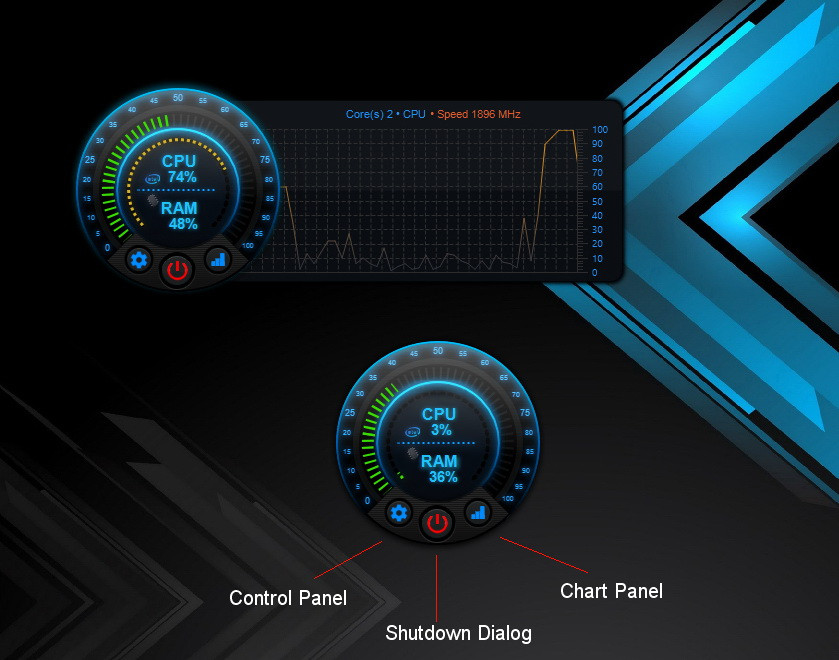
Use the Top Bar for change a view.-Click the "CPU" for switch between cores/total usage charts.
-Click the text in area of memory for switch between RAM/Swap value.
-Move the cursor over the text in area of memory for view
the current value chart.
-Click the "cpu persent value" to start Task Manager.
Related content






Comments: 11


Hi, would love to have the same design for Up- & Download and maybe for CPU Temperature.
👍: 0 ⏩: 1

Oh, I'm too lazy for do something. Really. But you can do all you want with my widget. I see you made some widgets before. Just edit this one. ))
👍: 0 ⏩: 1


Thanks. It's always on my desktop. ))
👍: 0 ⏩: 1

mine too, you actually made me use xWidget for the first time
👍: 0 ⏩: 1
Do you know about xWidget editor (Xwidget designer)? It's easy way to create widgets for this platform. U can to make alot of widget without any programmer's skills. And u can remake any widget of the already existing. It's realy fun. Like Lego. ))
👍: 0 ⏩: 0

Please package this widget to ".xwidgetPkg" file with Right click widget and select "Window-->Package"
👍: 0 ⏩: 1
Oh. Thanks. I fixed it.
Using "zip" for package .XWidgetPkg was not good way.
👍: 0 ⏩: 0