HOME | DD
 Surreallity — Tutorial Part III:Cell shading

Published: 2008-04-07 11:14:28 +0000 UTC; Views: 5362; Favourites: 58; Downloads: 0
Redirect to original
Description
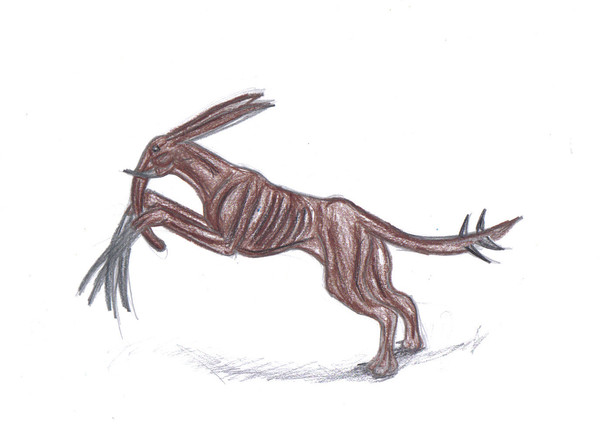
Finally finished part III of my GIMP tutorial, this just covers the basics of how I cell shade. If you have any questions feel free to ask.Most of the old work at the end of my tutorial can be found on my old account
Global my christmas peophin is the peo featured in this.
It isn't nessecary but please fav this tutorial if you use it
Related content




Comments: 26

Gah... thanks, but I still don't quite get the layers...
👍: 0 ⏩: 1

I never got them at first either. If you like I can make another tutorially specifically on layers in GIMP? Thanks for the fav!
👍: 0 ⏩: 1
hmm... maybe. Wouldn't creating new 'layers from visible' work, too?
And for the fave, you deserve it! This is the first tutorial I've seen to make some sense of the techniques I'll need to use. Your 'layer sandwich' strategy is quite genious!
👍: 0 ⏩: 1
Thank you ^-^ Layers from visible? I'm kind of confused, sorry D:
👍: 0 ⏩: 1
When you right click on the layers window, it allows you to create a 'layer from visible', or a layer same as the background.
👍: 0 ⏩: 1
Oh, ok I understand! I'll work on that ^-^
👍: 0 ⏩: 1
What I was wondering was what kind of layers you use for this. Are the new layers (for color) white or transparencies?
👍: 0 ⏩: 1
I'll give a simple explination:
When opening a new document, you have to option to select white or transparent background layers. The new layers I use are transparent, they allow me to see behind them. But when opening a document rather than creating one, the background is automatically white. So my background layer was white and my forelayers(the ones 'above'
👍: 0 ⏩: 1
ooohh...
Thanks a ton! I bet that technical stuff is hard to explain easily.
Now I feel like Edward Elric after he opened 'the gate'. So much knowlege- ha!
👍: 0 ⏩: 1
Welcome. Glad I could help

👍: 0 ⏩: 1
And a great help you are indeed!

👍: 0 ⏩: 0

I'm glad you find it helpful ^-^
👍: 0 ⏩: 0

You're welcome, I'm glad you find them useful
👍: 0 ⏩: 0


I've got GIMP, just never gotten round to using it because it looks... so complicated!
I'll use it when I hae time, now that I have an awesome guide to help me
👍: 0 ⏩: 1
I'm glad it seems useful, I was worried that I rambled too much
👍: 0 ⏩: 1
nah, it's perfect in every way!
I'll fav it when I use it
👍: 0 ⏩: 0
Hopefully mine will be useful, I ramble alot in tutorials =S
👍: 0 ⏩: 1

it sure helps me, I practicing a new way of coloring, with your tutorial as a base^^ I'll show you when the pic is finished
👍: 0 ⏩: 1


Woah Cass it's great. As I said, i'll make sure to use to later.
Thankyou for making it!!
👍: 0 ⏩: 1