HOME | DD
 Tounushi — Dithered Digital tutorial
by-nc-nd
Tounushi — Dithered Digital tutorial
by-nc-nd

Published: 2010-08-16 17:59:45 +0000 UTC; Views: 5985; Favourites: 23; Downloads: 157
Redirect to original
Description
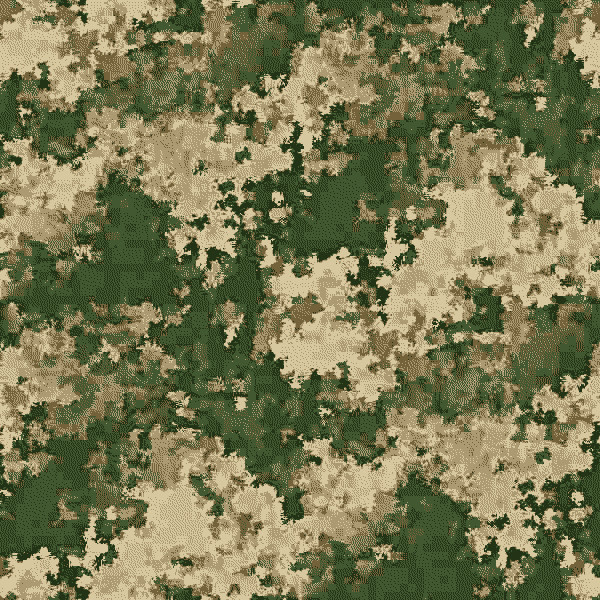
Here I have a tutorial explaining the technique I used to make my Generic Digital Pattern camouflage . I have found this to be a very easy and interesting way of making professional-looking camouflage.I used Photoshop Elements 7.0 to make this.
1. Create a new project on photoshop, the dimensions need to be a multiple of 64 on both axes.
2. Use Filter>Render>Cloud
3. After creating the cloud, use Enhance>Auto Contrast and Enhance>Auto Levels.
4. Tile the cloud 2x2
5. Use Filter>Pixellate>Crystallize, cell size at 40px three to five times
6. Use Filter>Pixellate>Crystallize again, cell size at 20px three to five times
7. Use Filter>Adjustments>Posterize with 2.5x the pattern
colors you wish to use (usually three to five colors)
8. Resize the image into a smaller image, squeezing the pattern just slightly.
If you started with a rectangular image, the final pattern tile should be closer
to a square to acchieve a distinct look.
9. Turn the image into indexed color with 2x the pattern
colors you wish to use (usually three to five colors), then afterwards change the image back to RGB color
10. Resize canvas so that there is only one tile
11. The pattern itself is now done, but the work does not stop here.
12. If you have gradients ready with the colors of the camo you want to make, use Filter>Adjustments>Gradient Map and select the gradient you wish to use. If you don't have ready gradients, follow the provided link for the appropriate tutorial .
13. your pattern is done.
Enjoy
Related content




Comments: 9

For some reason I always tend to forget how I can tile my cloud 2x2!?
👍: 0 ⏩: 1

Just make sure the tile is 2^n per side.
👍: 0 ⏩: 1
wich further tools should I use in PSe then?
👍: 0 ⏩: 1
It's in the instructions image. Ripple would be the primary way of generating a micropattern.
👍: 0 ⏩: 0

Gonna kick this patt style's ass as the Yanks might!? Don't see or hear much of you on camo club anymore-all seems to be drifting apart-oh please no!!!!!
👍: 0 ⏩: 0

Tää on kyllä hyvä tuto, kiitos siitä! Tuollee saa samantyylistä kuvioo ku esim Pencotin kuviot.
👍: 0 ⏩: 0

And btw,how do you add someones avatar with link to his profile?
👍: 0 ⏩: 1
: icon deviantname : (ignore spaces)
liek this:
some deviants are merely tool accounts, namely the plz accounts:
👍: 0 ⏩: 0