HOME | DD
 Trackdancer — MMD Tutorial Castable Magic Circles

#alice #mmd #photoshop #town #tutorial #kerorin #magiccircle
Published: 2014-09-27 18:18:27 +0000 UTC; Views: 6822; Favourites: 138; Downloads: 83
Redirect to original
Description
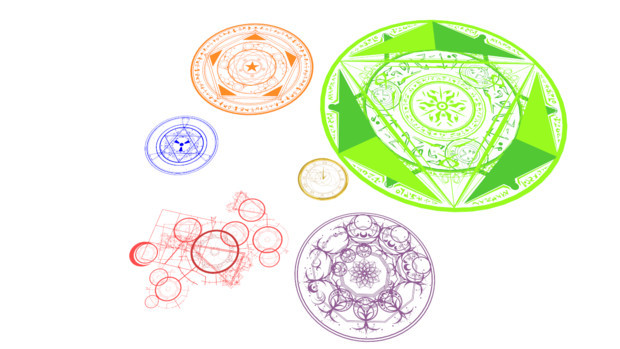
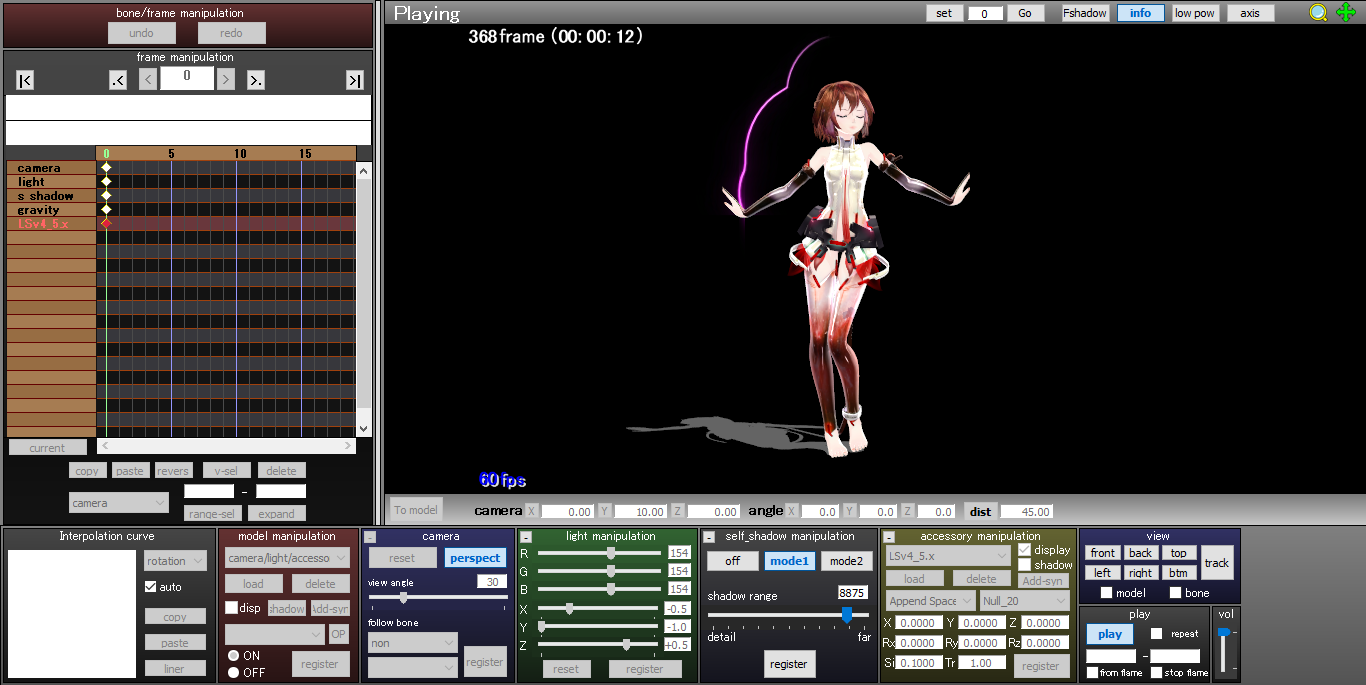
Ever seen those fantasy or magic girl animes where the heroine casts these really neat magic circle type spells? Well guess what, they're not hard to make and simulate in MMD and this tutorial shows how it can be done.If you want more info on drawing your own magic circle use the DA search box. There are some really great tutorials here o drawing these in Photoshop or other graphic programs. If you need brushes, you can use the ones I've used here. They're by redheadstock and there are also other designs available by other artists. For fonts use GOOGLE; some really neat ones for this sort of use out there and usually they're free.
To keep the tutorial length manageable it was done more as a 'show what was done' rather than 'show how it was done' format, so if you find a knowledge gap and you can't find an answer using GOOGLE, then please feel welcomed to post your questions below. If you feel that something actually needs to be presented as a separate tutorial, post your request below also.
Cheers.
Example Castable Magic Circles can be downloaded from: bowlroll.net/file/52589
Video demo: youtu.be/ki6MJzV_2KE
Models are CC-BY-NC-SA
Alice still can't add. Where she says 10 cm, it should read 100 cm, but the entry in the PMD UI is correct: 10.00
Related content


Comments: 28

thanks for the tutorial but...the sketchup thing...i'm confused...i never used it before so...how to make it transparent? 2m x 2m square? huh? i'm confused...sorry...

👍: 0 ⏩: 1

how to make it transparent?
It's the transparency properties of the PNG graphic that creates the transparencies. This assumes of course that the PNG was created and saved with an alpha channel.
If you follow the steps in the tutorial, you should not have problems creating a PNG with embedded transparency properties.
2m x 2m square?
The tutorial suggests making the square measure 2 meters by 2 meters as MMD uses the metric system. Each square on the MMD grid measures 50 cm or 0.5 m per side. So a 2m x 2m square is equal to a 4 x 4 square grid in MMD.
Note that you don't have to use the suggested measurements at all; you can use any size you want. Just has to be a square since the texture map is square.
In case it is not obvious: "2m x 2m" reads as "2 meters x 2 meters". This might be a bit confusing for some in the USA, especially those who sleep in math classes, since the USA still uses the old imperial measurement system (miles/yards/feet/inches).
👍: 0 ⏩: 1
wha? okay,i think i'm new to sketch up...
👍: 0 ⏩: 1
LOL ... yeah, when you first start, you're going to get a lot of "WTF?" moments. But it does get easier and then that's when the fun parts begin.
SketchUp by far is one of the easiest 3D modeling programs to learn, but it does have limitations with reference to MMD as it totally lacks mesh editing functions unless you purchase a plug-in. Even then, it's not great for that kind of use. So it's not good for making things like dresses. But anything that is linear in form, like a stage or room and it's in these areas that it really shines.
👍: 0 ⏩: 1


How do i export the file as a .x-file in sketchup?
👍: 0 ⏩: 1
You'll need a plugin. Try to find one in the SketchUp library.
👍: 0 ⏩: 0
Not sure what you're trying to ask, sorry.
👍: 0 ⏩: 1
What are you trying to do?
👍: 0 ⏩: 1

i want to add the texture of the magic circle to the wall, but i don't know how
👍: 0 ⏩: 1
You need a modeling program or possibly just the PMD Editor with the UV Editor plugin to do something like that. Alternatively just move the magic circle to the wall.
👍: 0 ⏩: 1
I'll see if i can do that, thanks
👍: 0 ⏩: 1


how do you do a fade facial or color replacement facial in PMX?
👍: 0 ⏩: 1
Posting a tutorial on the color slider later today. Fade slider tutorial already in my tutorials gallery.
👍: 0 ⏩: 0


Nice tutorial, but this can be achieved also using GIMP, and the Sketch-up step can be skipped, instead you can create a plane directly in PMX Editor, or import one. Maybe I should try it some day and make a tutorial of it, but I'm not really interested on using magic circles.
👍: 0 ⏩: 1
Alice did say: "You can use whatever graphic or modeling program you want". But as you indicated, there's more than one way to "skin a cat" ...

👍: 0 ⏩: 0

Yes, it is easy to make one. XD
Still, it would be more convenient to put the color in monochrome(B/W) state.
You could add in colour sliders to be able to freely manipulate the colours later.
👍: 0 ⏩: 1
I went with this method as I wanted to make provisions for multicolored graphics.
👍: 0 ⏩: 1

