HOME | DD
 Valognir — [Custom box code] Wide content

#box #code #content #custom #customization #html #profile #scroll #scrolling #wide #width #scrollbox #contentholder #custombox #widecontent
Published: 2015-03-01 13:45:25 +0000 UTC; Views: 30642; Favourites: 951; Downloads: 0
Redirect to original
Related content












Comments: 534

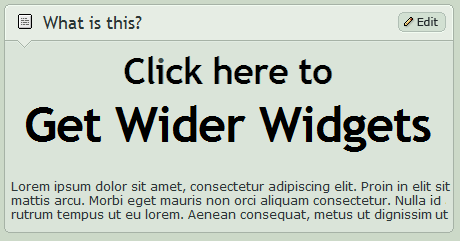
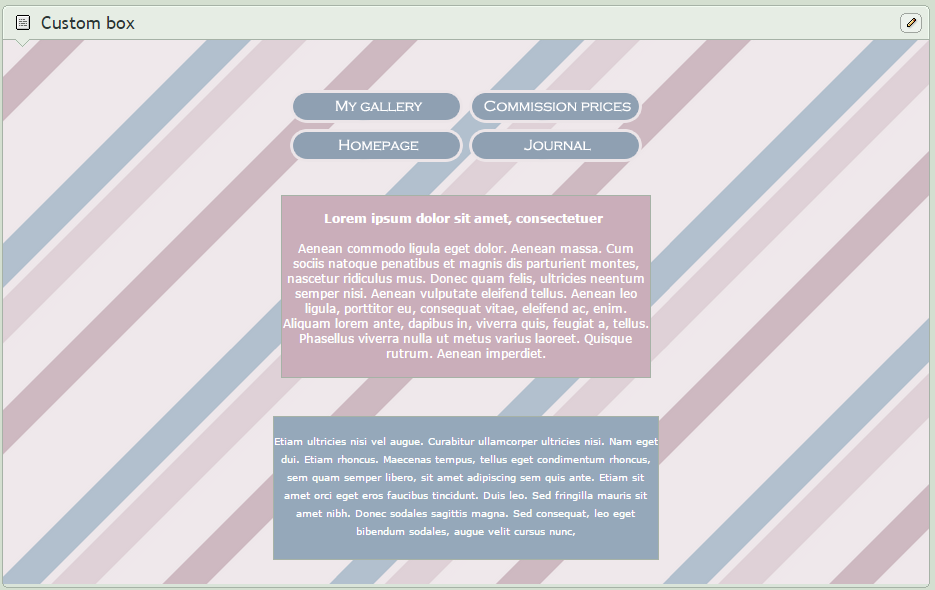
This will work, though it's just a cheap workaround with lots of divs that add a margin... So the box won't overlap the images. Do consider the width of the images though, as this will look really weird on small displays, like mobiles. In case you want to change the margin, add or remove more of those clog divs as needed.
<div class="stream"><div class="popup2-moremenu"><div class="floaty-boat"><img width="100%" src="http://pre00.deviantart.net/fd50/th/pre/f/2016/288/5/2/white_by_gvilt-dal1ml3.png"></div></div><img src="http://orig10.deviantart.net/3d46/f/2016/137/e/0/stretcher_3_by_daemon_illusionum-d9nvsaz.png" width="500">
<div class="inputblocker blt-ad-container daembed gmfrozen" align="justify"><img src="http://orig12.deviantart.net/c715/f/2015/277/2/5/stretcher_by_daemon_illusionum-d9bzcno.png" width="100%"><div class="pppp">
<img src="http://orig11.deviantart.net/c0fd/f/2016/292/9/c/left_by_gvilt-dalkq1s.png" align="left"><img src="http://orig11.deviantart.net/6840/f/2016/292/1/c/right_by_gvilt-dalkq1e.png" align="right"><div class="clog"><div class="clog"><div class="clog"><div class="clog"><div class="clog"><div class="clog"><div class="clog"><div class="cctextarea" align="justify">Body text here Body text here Body text here Body text here Body text here Body text here Body text here Body text here Body text here Body text here Body text here Body text here Body text here Body text here Body text here</div></div></div></div></div></div></div></div>
👍: 0 ⏩: 2

This helped me so much THANK YOU!
👍: 0 ⏩: 1

That works perfectly, thank you!
I will be doing some thinner images c:
👍: 0 ⏩: 1
Great. I'm glad I could help. Now I'll fall flat onto my bed. 4am already. :'D Always getting to carried away when trying to solve some "code puzzle". But do feel free to ask me again anytime.
👍: 0 ⏩: 0
I hope you don't mind I temporarily borrow your code to test it on my profile. I'll let you know when I find a fix.
👍: 0 ⏩: 0

Thank you sooooo very much!!!
👍: 0 ⏩: 0

Bless you for making this! Works like a charm! <3
EDIT: Actually, do you know how I can prevent the lower half of my box from being passive/unable to be clicked on or highlighted?
See my 'The Artist' box.
I've managed to widen the upper half for the picture, but the other half I kind of want it normal sized, but it's kinda screwed up and I can't click/highlight anything
👍: 0 ⏩: 0

the stretcher code got fucked again
👍: 0 ⏩: 1
Are you sure? It seems to work fine for me on Firefox as well as Chrome.
👍: 0 ⏩: 1
well its not loading on my profile, so im pretty sure-
👍: 0 ⏩: 1
What browser and device are you using?
Did you ask friends if they see the same problem on your profile?
👍: 0 ⏩: 1
Uhm , im using windows 10.
it was working yesterday.
i havent but i can.
👍: 0 ⏩: 1
Well, that is your operating system... ^^ But I was asking for your web browser (Firefox, Chrome, Opera...) and if you are using a PC or some mobile device like a phone or tablet.
👍: 0 ⏩: 1
oh, im sorry !
im using Chrome on a PC (laptop..?)
👍: 0 ⏩: 1
Bad news: I seem to have used the wrong browser, that wasn't Chrome, and failed to actually look at your code, rather than mine, which means I am obviously unable to correctly operate my PC or read. You may now laugh at me.
Good news: I found the problem. You are using a long outdated version of the code, which means the problem is already fixed. All you have to do is replace your old code with the new one currently in the description. ^^
Excuse my failure.
👍: 0 ⏩: 1

I knew there was something wrong, the boxes had collapsed and I ended up removing everything from my page because of that issue D: But it's fixed now that you have added the new code, thank you

👍: 0 ⏩: 1
Outdated code is the most common problem. ^^ If you run into any problems with coding, you can contact me.
👍: 0 ⏩: 1
Cool, thank you very much ^^
👍: 0 ⏩: 0

when using the first code, the image won't center. how do you fix this?
👍: 0 ⏩: 1
Sorry for the delay. What image are you referring to? The background image or something else?
👍: 0 ⏩: 1
if i use an image code and place it within the custom box, it shifts to the right or left instead of centering itself.
👍: 0 ⏩: 1
Add align="center" to the image code. Like this: <img align="center" src="...
👍: 0 ⏩: 0

Hey you should really make one for inserting drawings and art , like making pagedolls larger and fuller
👍: 0 ⏩: 1
If you are using this code already, you can just modify your img code to something like this:
<img src="Image url" height="###">
Replace that ### with some number that sets the image height. Experiment with it. BUT enlarging pictures might make them look a little blurry or pixelated, especially for pixel art. Also I wouldn't suggest making it too big, as it will mess with the display on smaller screens.
👍: 0 ⏩: 0

Whenever I want a wide widget or a scrollbox, this is the code I always go to. I like to use it in widgets like the ID widget, too, as well as the Favorites widget. It fixes a lot of broken-ness that other codes don't fix.
Except. There's on problem. Another thing it needs to fix.
How the heck do I prevent those damned Core stars from popping up from underneath the code?
Here's what I mean.
You're magnificent at figuring out these bugs no one else has. 

👍: 0 ⏩: 1
Thanks a lot for the compliments!
Those stars are fucking bullshit. xD I would have to .... Nevermind, I'll skip the technical part. Anyway, I'd either have to leave those stars visible or have your widgets using this code overlay everything, like popup menus (e.g. the one when you hover your user name in the upper right corner). I could only suggest using it only on custom boxes or other widgets that don't have usernames (and stars) on them.
👍: 0 ⏩: 1
Oh I see! I'm guessing the same class that prevents the note boxes from being covered, is the same class that also makes the stars visible. So the stars and the menus are probably being used by a similar class or such. I'm actually interested in the technical parts of this stuff. 
Would it be possible for you to possibly note me a version that would cover stars, and breaking the note box? I have an idea what I could do that would work well with the layout, using both versions.
👍: 0 ⏩: 1
Oh, awesome. 
The stars have a rather high z-index. That moves them to a higher layer in the display system. They don't use the same classes as the menus, but the same CSS attribute: The z-index. I had to add a class that contains a lower z-index to my code in order to have it not cover the menus.
👍: 0 ⏩: 1
Then adding the low z-index makes it not cover that layer for the menus, but it also makes the stars appear, since you could say the stars and the menus are kinda on the same layer. Kinda works like layers in a digital drawing, if you want to think of it that way! It just wouldn't work due to that one pesky layer.
Sorta makes me think of those moments where I'm trying to find out which layer that one damn smudge is on to erase it and can't find it, aha. Just a different principle altogether.
How'd you do the low z-index? I think I could end up easily add/removing whatever bit prevents the menus from being covered, that way I could toy around with it use it wisely for certain widgets and some without. I think I could also just simply change the class if need be. I understand HTML pretty well.
👍: 0 ⏩: 1
Exactly like that. ^^
It's the blt-ad-container class that has the lower z-index.
👍: 0 ⏩: 1
Would I remove blt-ad-container, or change it to something else? I'm just cautious.
👍: 0 ⏩: 1
I did, but it didn't seem to do anything.

👍: 0 ⏩: 1
So I took a deeper look into the code and I think the problem is not actually the widening part of the code, but the background part. It doesn't have a z-index at all, but the star does. So instead of removing that class, try adding it to the floaty-boat.
👍: 0 ⏩: 1
That worked! 
👍: 0 ⏩: 1
If you find anything interesting, would you mind sharing it with me?
👍: 0 ⏩: 1

Cool! Thank you for that! Now, how could i make it a link image?
👍: 0 ⏩: 1
Not sure what you mean. What do you want to make a link image?
👍: 0 ⏩: 1
Yes it is what i mean! (Sorry for my bad english)
👍: 0 ⏩: 2
Hm, I don't think you understood the question. Do you want to put an image in the box that works as a link? For that you would have to use this code: <a href="LINK"><img src="IMAGE URL"></a>
👍: 0 ⏩: 1
I want to have big featured deviation
👍: 0 ⏩: 0

It worked just fine at fist, but then it just suddenly started to look like this. Any way to fix it? At times it looks normal, but mostly it just looks like this
👍: 0 ⏩: 1
Should be fixed now. Copy the new code.
👍: 0 ⏩: 1
Thank you so much, it works perfectly now!

👍: 0 ⏩: 0

Perfect. What a mess that DA coding. This would have taken hours of browsing through the coding. Thank you FAT FAV and Watch
👍: 0 ⏩: 0
thanks for this! it's exactly what I needed c: it works perfectly
👍: 0 ⏩: 0

Is there any way to make it a liiittle less wide? I love the wider version, but I don't like that it's touching the edges of my custom box..
👍: 0 ⏩: 1
<= Prev | | Next =>