HOME | DD
 VegaSamX2 — Non-Core Rouxls Kaard Shop Custombox
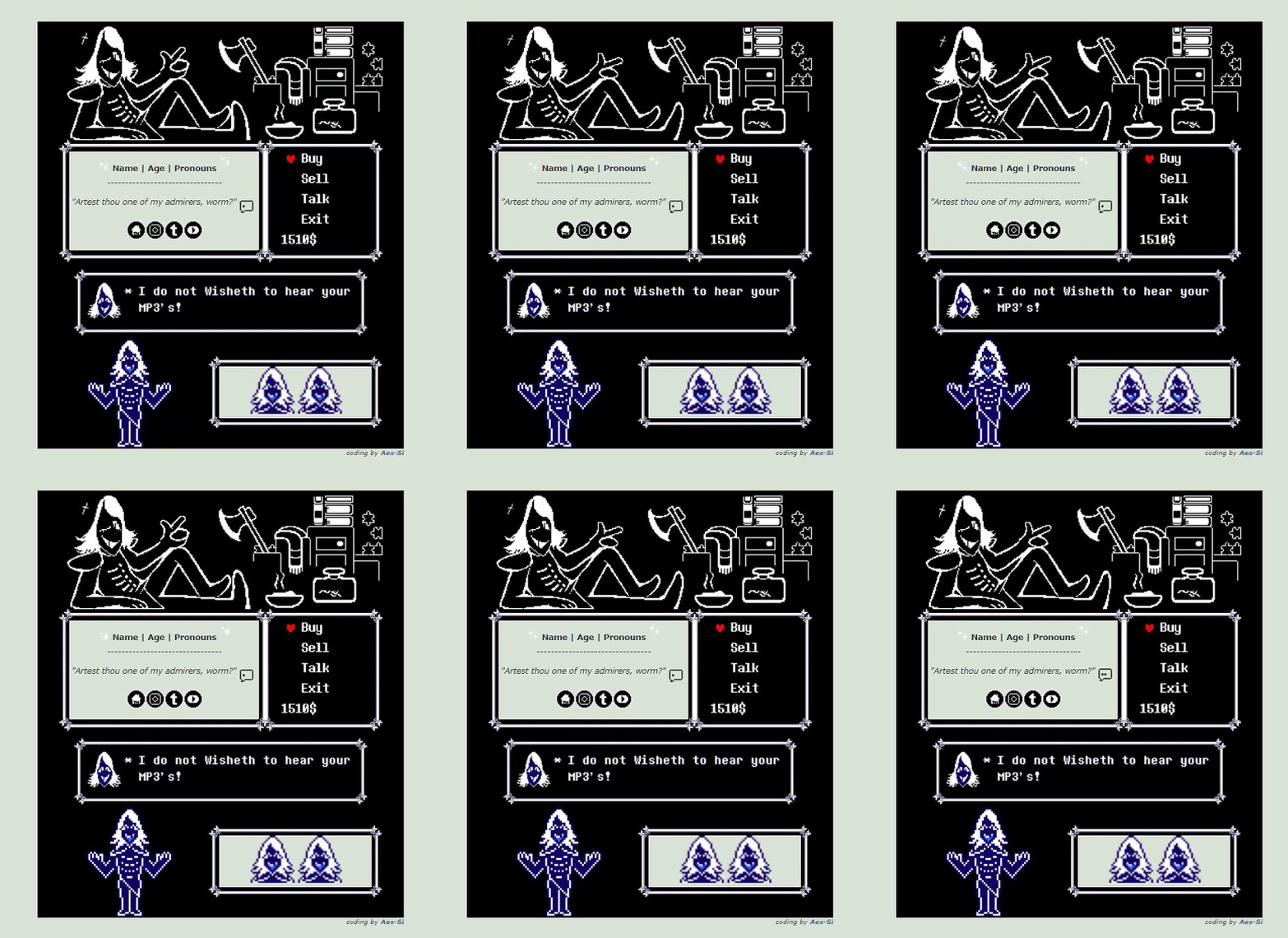
#box #code #coding #duke #free #game #page #pixels #profile #puzzles #kaard #f2u #undertale #deltarune #customization #decoration #sprites #custombox #customboxbackground #noncore #customboxcode #f2udecoration #noncorecode #noncorecustombox #f2u_custom_box_code #noncorecodes #f2ucustombox #noncorecoding #customboxcodef2u #rouxls_kaard
Published: 2018-11-11 08:22:38 +0000 UTC; Views: 8321; Favourites: 193; Downloads: 0
Redirect to original
Description
UPDATE: Since DeviantArt got rid of a lot of features, these types of works are useless now, sorry
Duke of Puzzles aka Duke of Fuckery

- Do not remove the "code by VegaSamX2 "
- Favorite or comment if you are using it
- Do not re-upload to your account/other sites
- You may edit the stamps/pixels/icons
How to Use
Copy the following code: pastebin.com/NpuvMcP4
- On your profile page click the "Edit profile" and chose "Featured deviation". Any deviation from your gallery will do but if you don't want a picture you can upload a transparent 1x1 picture as the featured deviation. Putting this code in other boxes like donation may mess up the format as its a very specific due to its size and how the layout is. Not recommendable if you don't know how to edit this specific type of format.
- Can only do one quote or there will be a gap. If you want to make room you have to get rid of some things that go in the mini box area such as the social media icons or other things.
- Copy and paste the code into the description & edit the info
Credit
- Social media icons: miniemotes
- Sparklers Pixels: piirmy
- Tiny Speech Bubble: 8-bitspider
- Rouxls Kard Pixels: Deltarune
- Gifs and Images: Edits done by me, it took a lot of time and patience //sweats
Rouxls Kard belongs to TobyFox and Deltarune
Related content




Comments: 44


how do i make it bigger? its on my profile and its small
👍: 0 ⏩: 0

Im pretty sure its the new system Deviantart is doing with stash links (most likely Eclipse related). Its not functioning like before and is messing me up big time with images.
I'll have to transfer the files over to a new website or redo it over :T
👍: 0 ⏩: 1

was really thinking about it, might spit out some of my favs first or whatever seems to be the most interested so far
👍: 0 ⏩: 1
Oh yay! If I may, make a suggestion?
👍: 0 ⏩: 1
I'm curious to see what u would do with a lancer one
👍: 0 ⏩: 1

Hey uhh.. It's been a LONG while since I've done coding... Could I get some help putting the links into the icons?
👍: 0 ⏩: 1
Ah sure! What is that that you need linking?
👍: 0 ⏩: 1
The little social media icons to my social medias. Sorry to ask this it's just been a few years and I'm kinda rusty so I can't remember what to do very well -w-
👍: 0 ⏩: 1
ah of course! Social Icons
This like here leads you to the social links i used for whatever type you need! There is a stash link in the description for each individual type you may want as well as the code on how to put them in the description.
hope it helps!
👍: 0 ⏩: 1
Thank you! It helped so much!
👍: 0 ⏩: 1


Didn’t work and just put the link in the descriprion.
what did I do wrong? Little help plz
👍: 0 ⏩: 1
alright, ah, lemme see the end result you have so far. Screenshot?
👍: 0 ⏩: 1
Ooo, okay. Go to the pastebin link on the description. Click on it. And it gives u the code. Copy all of it and paste it the custom box
👍: 0 ⏩: 2
Wait one more thing, how do I change the icons in the bottom box to these icons here?
👍: 0 ⏩: 1
Well you can replace it with the thumbnail numbers to it if you want to change the icons to those for aesthetic reasons.
👍: 0 ⏩: 1
How do you get the thumbnail numbers?
👍: 0 ⏩: 1
When you start scrolling down on the devation (The art icon u r looking at) on the right side there will be Details, Link, and then Thumb. U copy the thumb right there the one that has :thumb:
i.gyazo.com/75f7564348bb00eb73…
Hope this helps!
👍: 0 ⏩: 1
Thanks! Check my page to see how it turned out
👍: 0 ⏩: 1


perhapppss, I'll see what i can do
👍: 0 ⏩: 0


