HOME | DD
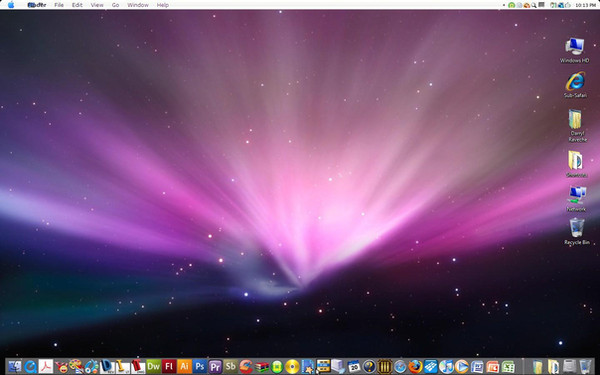
 wienzee — Perfect Leopard for ObjectDock

Published: 2008-06-01 03:57:17 +0000 UTC; Views: 17999; Favourites: 7; Downloads: 4853
Redirect to original
Description
comments and critique please. i hope you like it. PeaceJordan
Related content




Comments: 16


owell, check out xwindows dock, its way better.
👍: 0 ⏩: 0

how did you set up the simple shadow of the object bar. I have one but unfortunately the opacity is pretty intense and I want to reduce it. Thanks
👍: 0 ⏩: 1
i actually dont use that, i edit my wallpapers in photoshop with a shadow.
👍: 0 ⏩: 0

how do I install the objectdock on my computer(got the program)?
👍: 0 ⏩: 0

make finderbar use the OBFont instead of default one by editing the .ini file and on a mac finder is always running! just link the icon with explorer.exe and will be ok

👍: 0 ⏩: 1
i cant find a .ttf version of the OBFont because the.pfm or whatever doesnt work. link?
👍: 0 ⏩: 1
nevermind, it worked but it doesnt look that good. idk...
👍: 0 ⏩: 1
[link]
are you using clear type? probably in the ini file is set to bold or something like this
👍: 0 ⏩: 1
I had clear type on and it was bad. i just think it looks sloppy.
[link]
Lucida Grande looked better. i even tried GDI++ but it doesnt do anything.
👍: 0 ⏩: 1

Yea, Lucida Grande is the actual font that Macs uses in it's UI.
I would stick with that.
👍: 0 ⏩: 0

how do you get: the icon title; and how many items are in the folder.
i like it because its like in Mac
👍: 0 ⏩: 1
i used avedesk and then made Pidlshortcuts to folders. i know the code for the hard drives (%f free, %s used) but until i foind the items code i have to change the status manually everytime i add or delete an item from the folder. if anyone knows the code, please contact me.
👍: 0 ⏩: 1

