HOME | DD
 WriteBlock — NicSTT-ToothMorphs
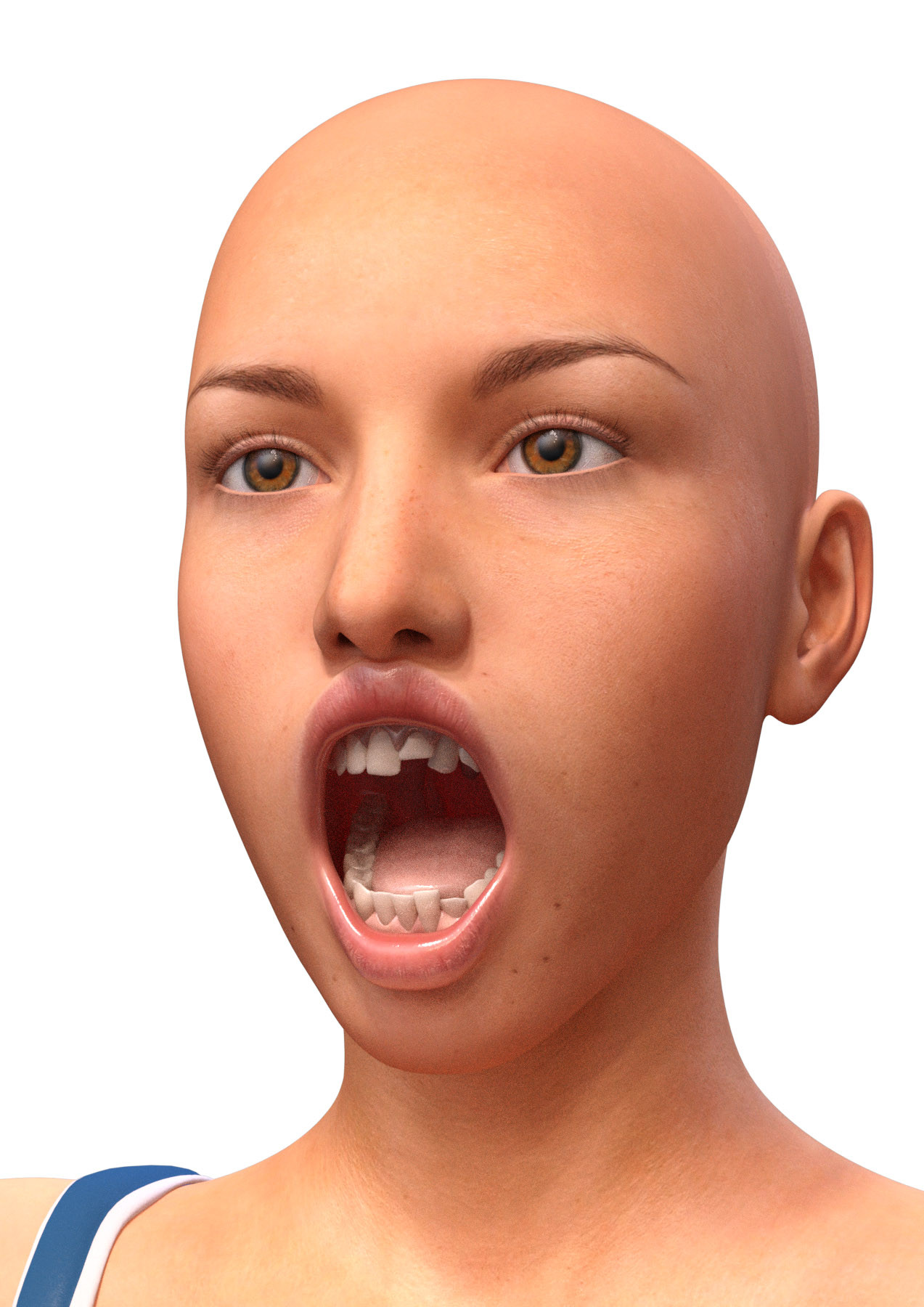
#dad3d #morphs #genesis3female #dazstudiopro48 #dazstudiopro49
Published: 2016-09-29 18:52:33 +0000 UTC; Views: 11845; Favourites: 52; Downloads: 1009
Redirect to original
Description
There are a limited number of morphs that appear under Genesis 3 > Actor > Head > MouthAll are coloured blue and begin Tooth-.
They allow for the front teeth to be twisted and moved up. Used at 100% is likely to be too much, so it is recommended that small amounts are used.
Let me know if any issues with installation, although dropping them in your Daz Studio Main Library should be fine; they go in the path beginning with data (Daz 3D Library\data). They work with both versions 4.8 and 4.9.
Usage (as is) is unrestricted but please don't redistribute.
Related content





Comments: 20

👍: 0 ⏩: 0

👍: 0 ⏩: 0

👍: 0 ⏩: 0

👍: 0 ⏩: 0
👍: 0 ⏩: 0


Thank you very much for all your G8F Morphs!!! ♥
👍: 0 ⏩: 1
You're welcome.
These are the G3 ones, I didn't try to see if they would work in G8, but many do with minor changes to the files.
👍: 0 ⏩: 0

This is exactly something I have been needing. Thank you very much!
👍: 0 ⏩: 0


Not directly, but it can be done. Look into applying female morphs to male figures and vice-versa; there are a few tutorials floating about dA and the web. You basically have to turn G3M into G3F, add the morph you want to add, then undial the G3F morph.
👍: 0 ⏩: 0

Thanks for the morph...will try to install tonight based on your instructions.
👍: 0 ⏩: 0
