HOME | DD
 ZerberusZero — Pumpgag - Showoff
[NSFW]
ZerberusZero — Pumpgag - Showoff
[NSFW]

Published: 2010-02-25 07:31:17 +0000 UTC; Views: 6426; Favourites: 103; Downloads: 435
Redirect to original
Description
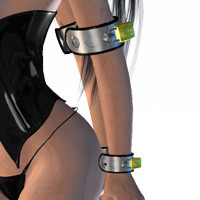
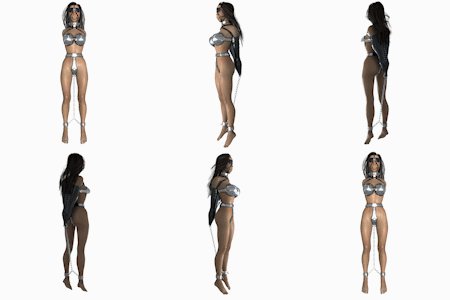
Just a Quick Render with same outfit and pose as the StellCuffs posing, with a different, newly made Pumpgag put in her mouth through her Ringgag, still haven´t figured out how to get morphs to work correctly, i made morph target so the pump end can move, but when i load them, the whole mesh "moves" when i dial to the morph ... anyone has an idea what i do wrong, if so tell me please
using poser 8 and Max 2010
Related content






Comments: 7


Hi ZerberusZero
... sounds like your scaling is out when making the morph target, or that your point winding order is reversed.
Poser's relative scale is tiny by comparison with most 3d modelling apps and the winding order is backwards.
To correct this, you have to model your morph target after exporting the relevant part(s) out of poser as .obj files. You have to do each part separately too, so that you retain the right number of points. You also have to maintain the scale in Max.
I work in C4D and know for sure that there's a point order reversing issue so there's a plug in which can be used so guess there's a similar thing for Max too. Try the forums over at Daz or Renderosity as for sure, someone will have had the same issue as you and may be able to give you a plugin/patch...
Nice looking props BTW, thanks for sharing...
Is the ballgag V4 fit available/sharable?
Hope this helps.
Chris

👍: 0 ⏩: 1

Hi Chris,
thanks for your kind help, i will try the tips you gave me i modeled the morph target in max right after i exported the standard model, that could be the mistake. so i need to import my model in poser, export it as obj again and then i can change things to get a morph target, like moving stuff and such?
the V4 Fit is not yet released, as i haven´t asked you for your go on it 
if you give me green light, i will release it, though i need to say i fitted it directly to the actual model shown there, so another V4 Version may needs another modification
for the props, it was my pleasure. looking forward to see it in others works
👍: 0 ⏩: 1
no problem,
yes, you have to export from poser then work on the morph, then re import the changed obj as a morph target.
As I say, it may be worth looking at the forums to see how MAX handles the point ordering because I know that may cause you problems when applying a morph and there certainly is an issue with the poser/C4D working.
Regards
Chris
👍: 0 ⏩: 0

Very nice...
I cannot help you though as I ain't compatible with poser..

👍: 0 ⏩: 1
thank you

👍: 0 ⏩: 1
You're very welcome
Why don't you ask "Who" then when he/she knows..

👍: 0 ⏩: 0